
Adding a Lease Contract with a Daily Billing Cycle
The system allows you to create lease contracts with a daily billing cycle, suited for short-term rentals, by adding a “Day” option to the leasing period dropdown with installments automatically generated on a per-day basis.
Before You Begin
- Make sure the “Rental & Units Management” app is activated in your account.
- Make sure you have the permission to add lease contracts.
Steps to Create a Daily Lease Contract
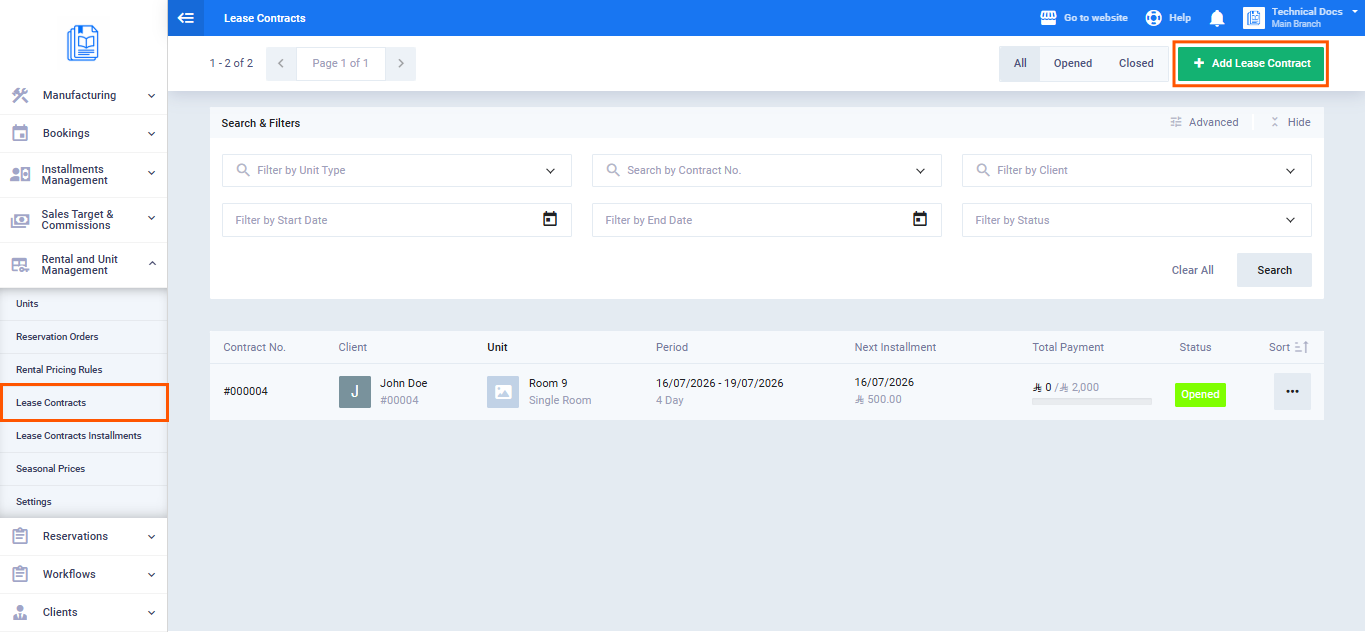
- From the main menu, click “Rental & Units Management.“
- Click “Lease Contracts.“
- Click the “Add Lease Contract” button.
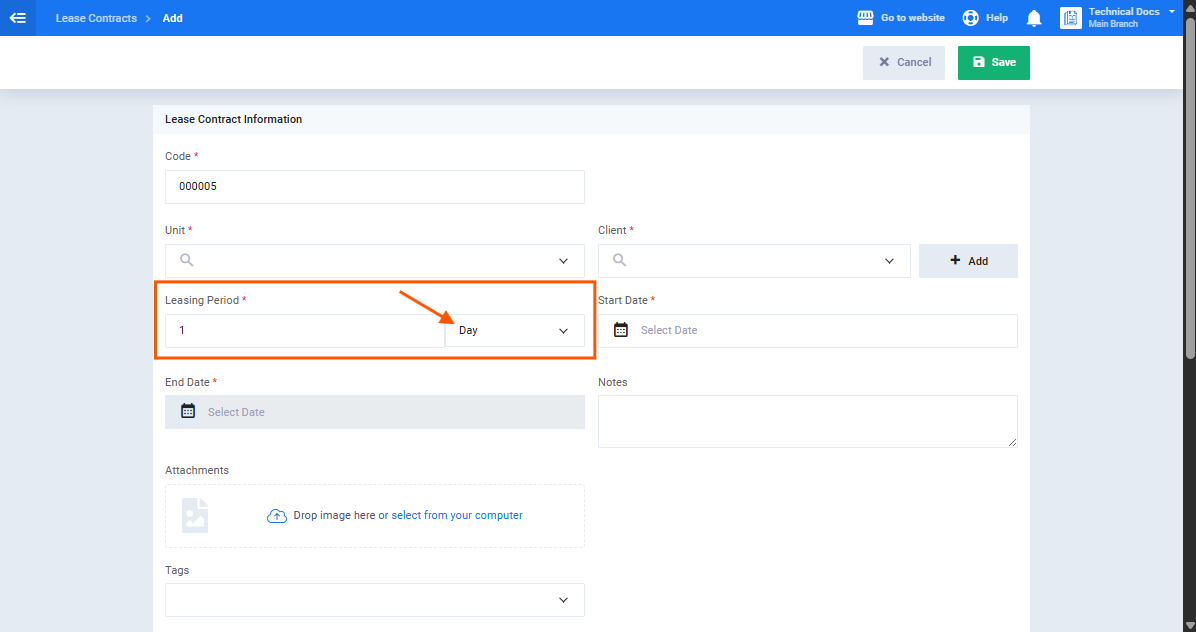
- In the “Leasing Period” field, open the frequency dropdown and select “Day“, this option appears first in the list as the shortest available period, before “Week” and “Month.”
- Enter the number of days in the duration field.
- Enter the daily rate in the “Payment Frequency” field.
- From the adjacent dropdown select “Daily.”
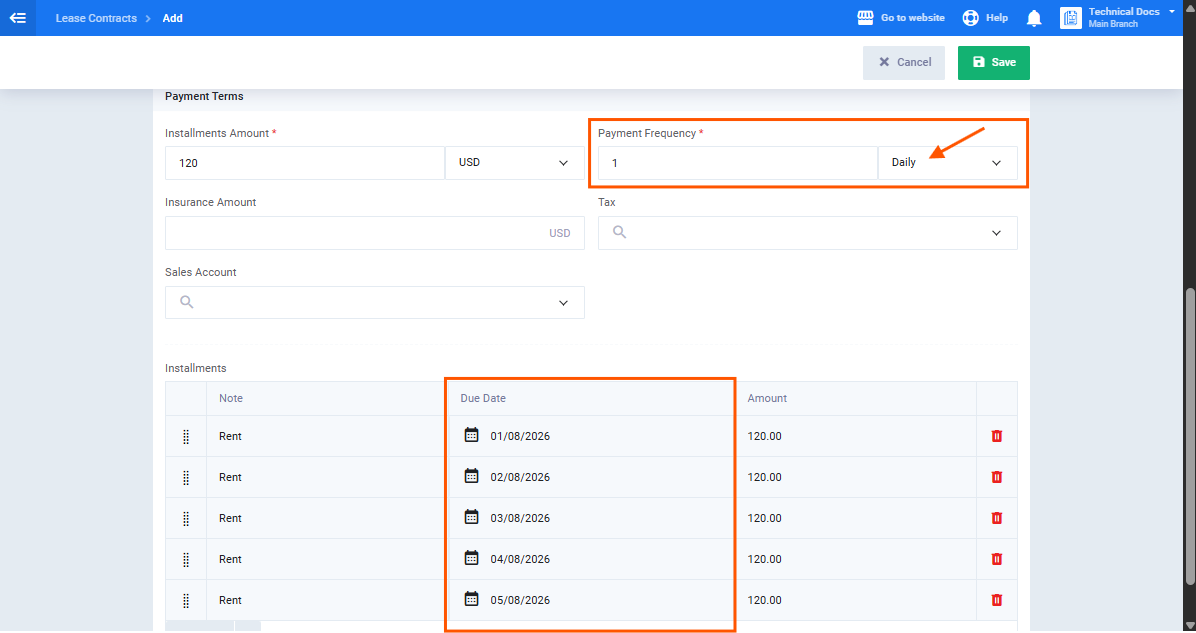
- Complete the remaining contract details then click “Save.”
Paying an Installment
To record a payment against one of the contract’s installments:
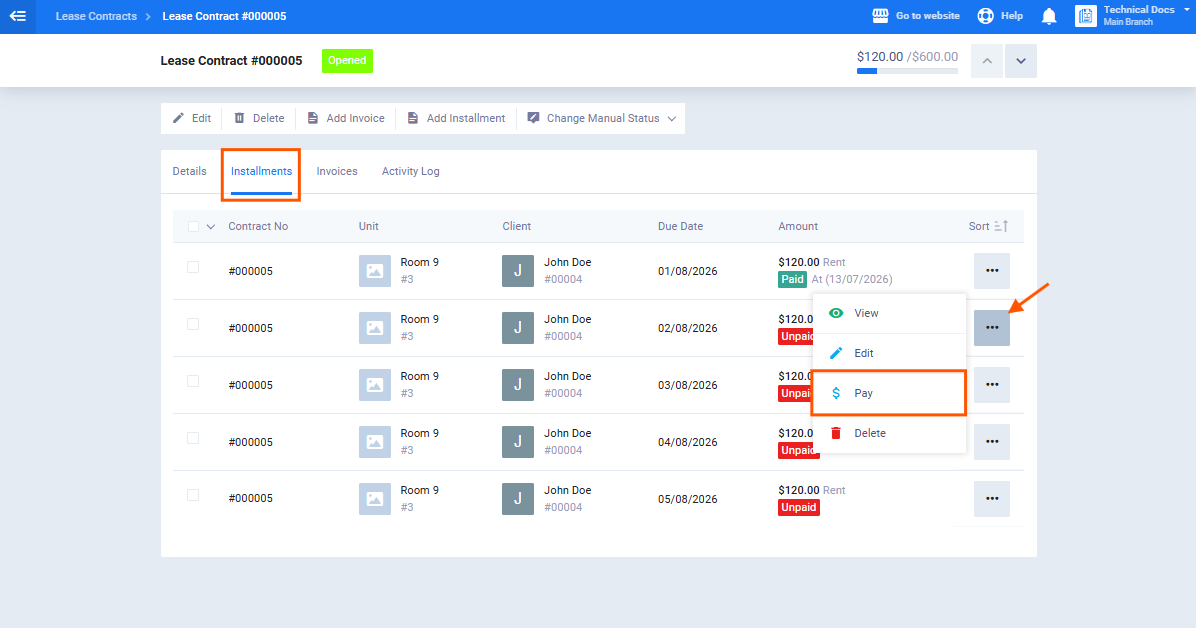
- From the contract view page, click the “Installments” tab.
- Find the installment you want to pay and click “Pay” in the actions column.
- The installment payment invoice screen appears; fill in the required details.
- Click “Save” to record the payment.
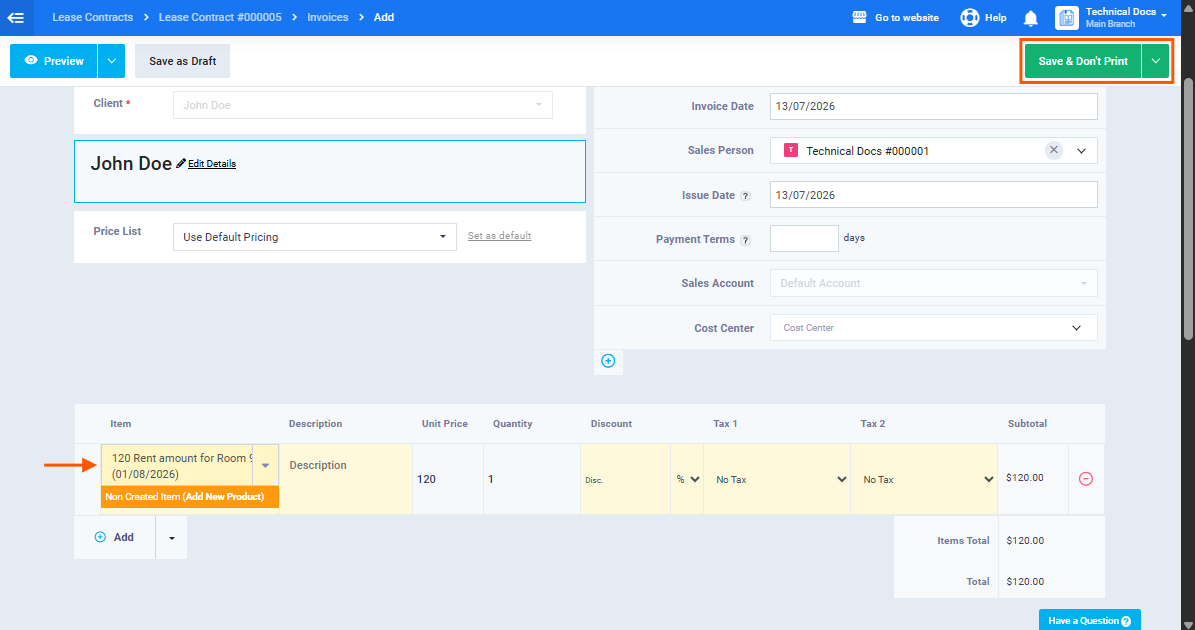
After recording the payment, the installment status automatically changes to “Paid” if settled in full, or “Partially Paid” if only partially settled. Paid installments remain unchanged when the contract is recalculated or edited.
Editing a Contract with a Daily Leasing Period
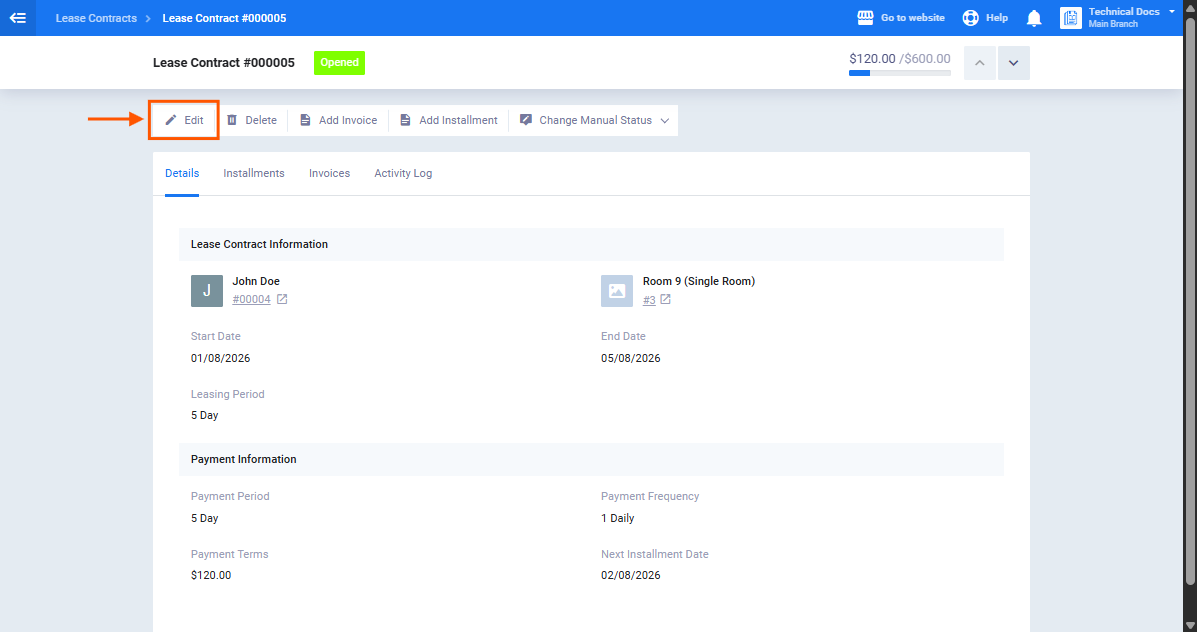
When the contract start date or number of days is changed after creation:
- The system recalculates and regenerates all unpaid installments only, based on the new values.
- Paid installments remain unchanged.
- If the edit reduces the total number of days below the number of installments already paid, a validation warning appears alerting you to this conflict.
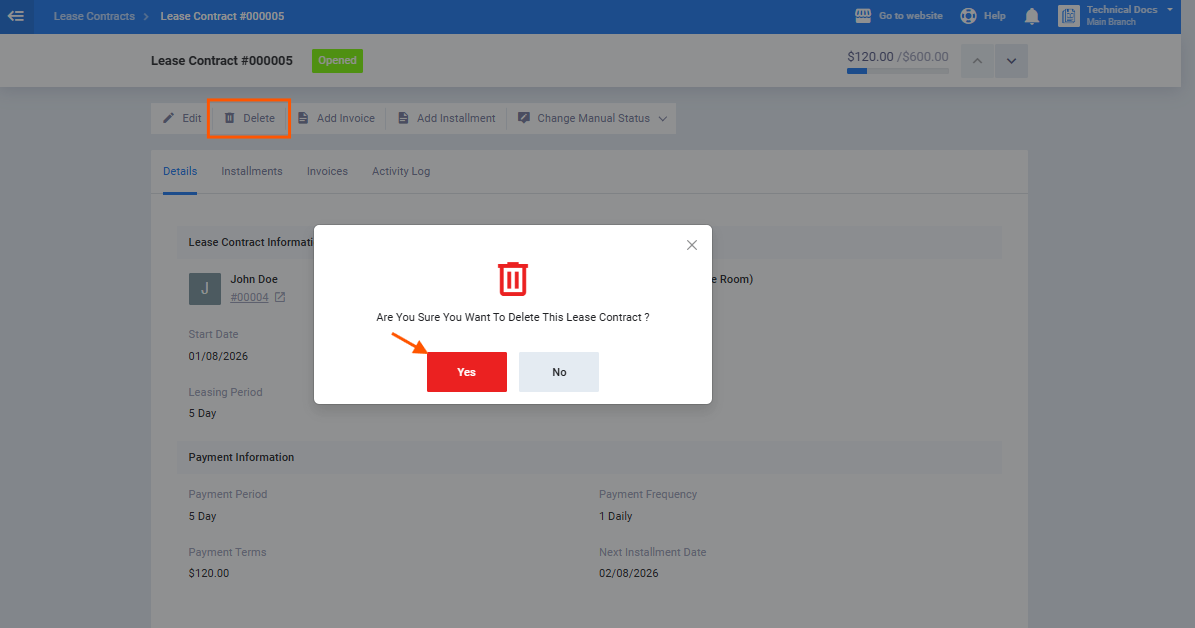
Deleting a Contract with a Daily Leasing Period
Deletion follows the same validation rules used throughout the Lease Contracts app; deletion is blocked if any installment has a status that prevents deletion, per the standard plugin behavior.