




Handling Rejected Requisitions in Sales Orders
If a requisition linked to a sales order is rejected, you will not be able to convert the sales order into an invoice directly.
This guide explains what happens when requisitions are rejected and how to continue processing the sales order.
What Happens When a Requisition Is Rejected?
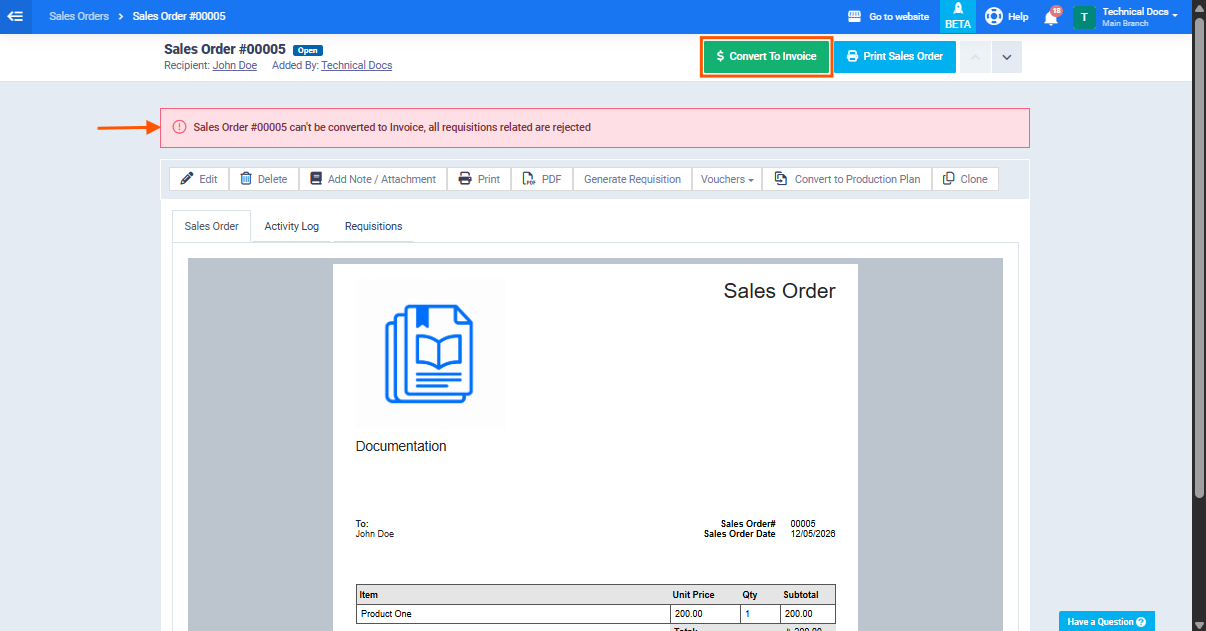
If all requisitions linked to the sales order are rejected, the system will prevent converting the sales order into an invoice and the following message will appear:
“Sales Order #{code} cannot be converted into an invoice because all requisitions are rejected.”
Checking Requisitions Statuses
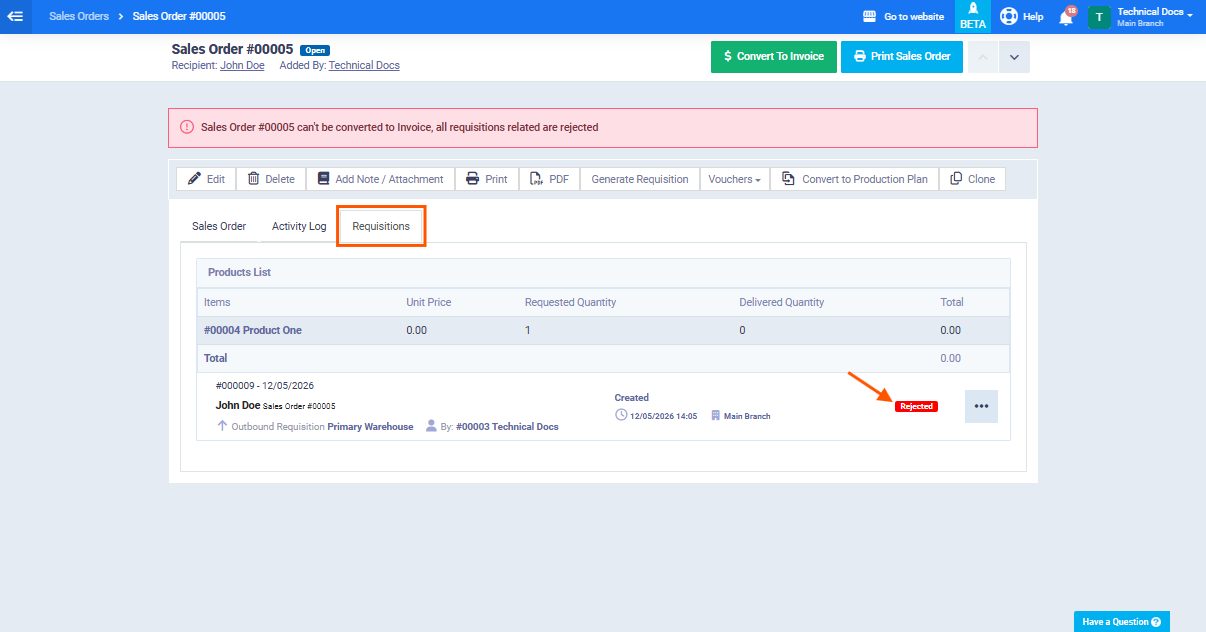
Before taking any action, first check the statuses of the requisition linked to the sales order:
- From the main menu, go to “Sales” then select “Manage Sales Orders“.
- Open the required sales order.
- Review the linked requisition and check the status of each one.
Available Actions
When requisitions are rejected, you can continue using one of the following options:
Option 1: Create a New Requisition
If the rejection was caused by incorrect data or quantity changes, you can create a new requisition for the sales order:
- Open the sales order from “Manage Sales Orders“.
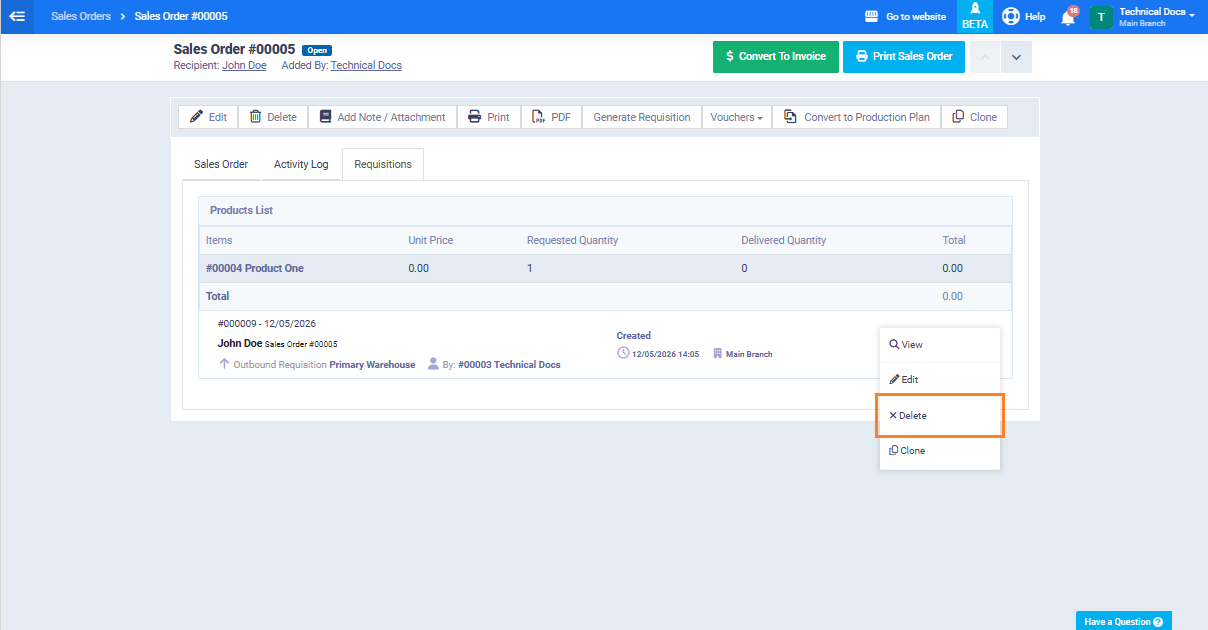
- Delete the rejected requisition.
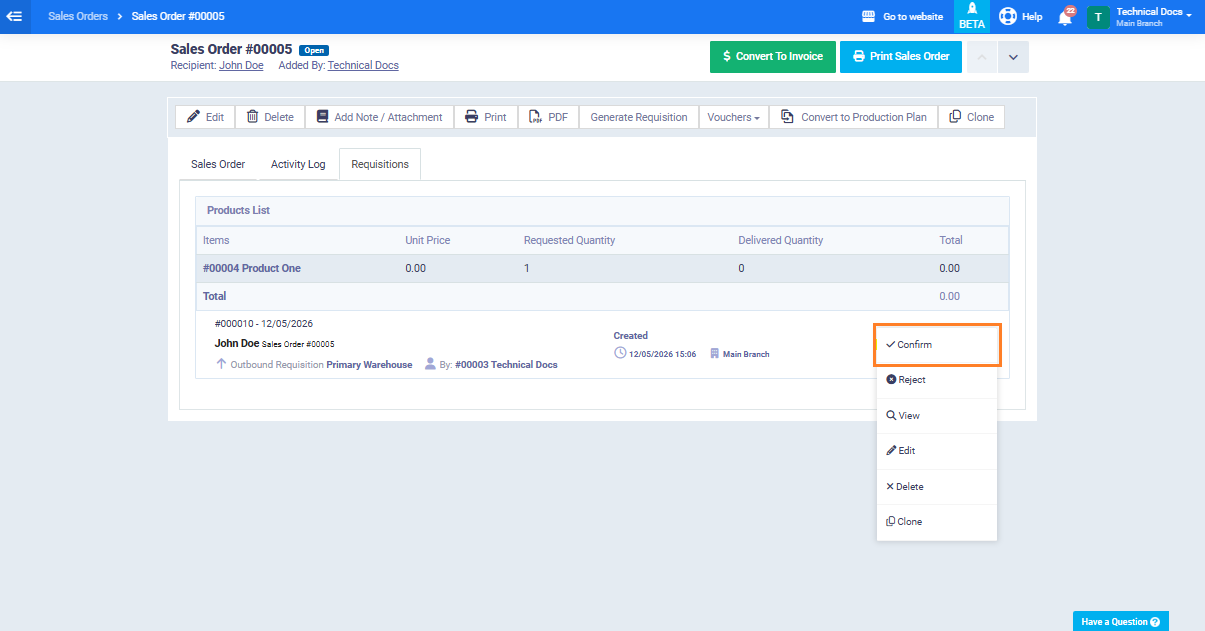
- A new requisition will be created automatically with the status “Under Delivery“.
- Confirm the delivery for the new requisition.
Option 2: Contact the Administrator
If you believe the requisition was rejected by mistake or needs further review:
- Contact the responsible administrator to review the rejection reason.
- After review, the administrator can either approve the rejected requisition or ask you to create a new requisition with the correct data.
- Once the requisition is approved, return to the sales order and complete the invoice conversion.
Requisition Status Summary
| Action Required | Can Convert to Invoice? | Inventory Issue Status |
|---|---|---|
| Create a new issue or contact the administrator | ❌ No | All issues rejected |
| Convert using approved requisitions | ✅ Yes | Some issues rejected and some approved |
| Select under delivery issues to include in the invoice | ✅ Yes (with “Convert Sales Order to Invoice” permission) | Some issues rejected and some under delivery |