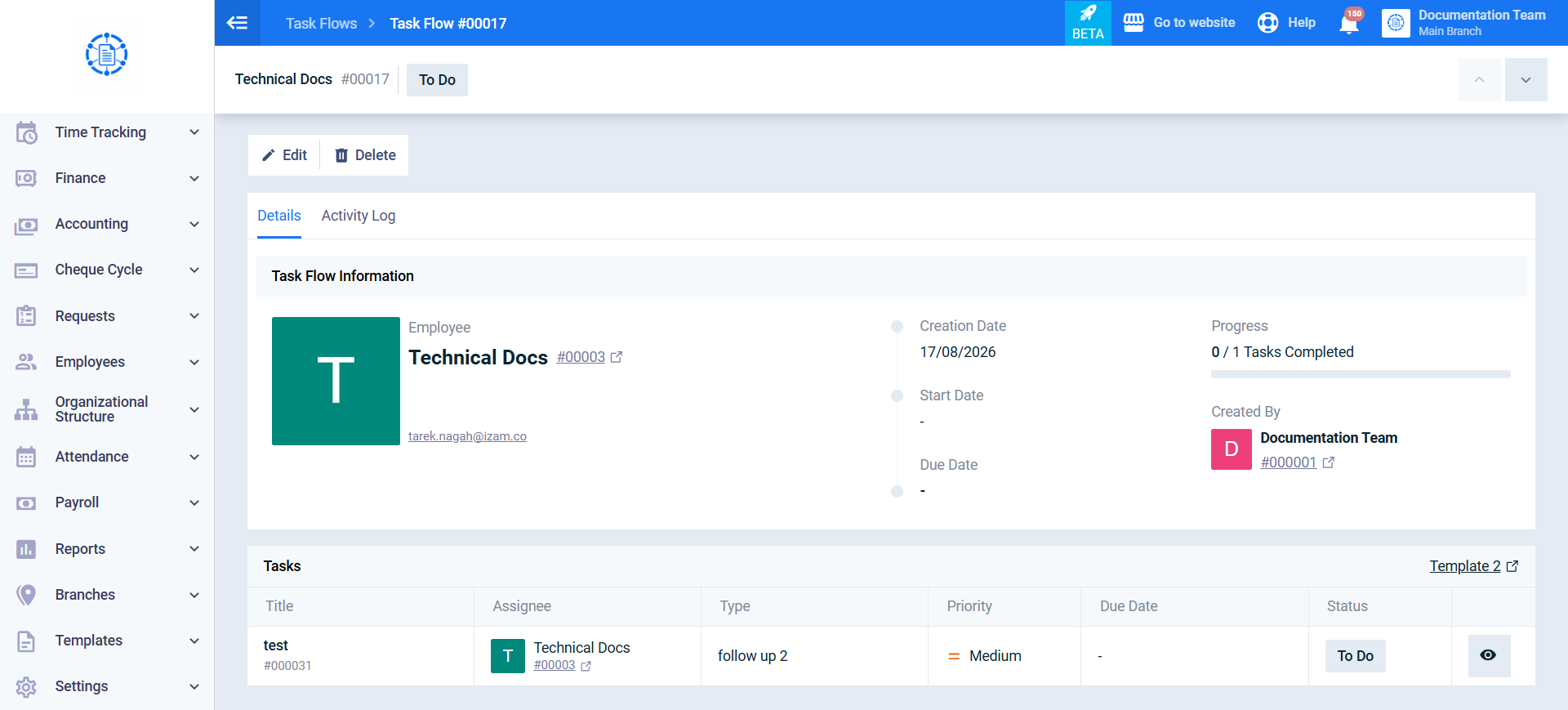
How to Launch Onboarding / Offboarding for a New Employee
The system allows you to launch an Onboarding or Offboarding tasks directly from an employee’s profile. This automatically creates the tasks defined in the configured template and assigns them to the selected employee, without requiring you to navigate to the Task Flows screen.
Steps to Launch Onboarding / Offboarding for an Employee
Step 1: Open the Employee Profile
From the main menu, click Employees, then select Manage Employees, and open the required employee’s profile.
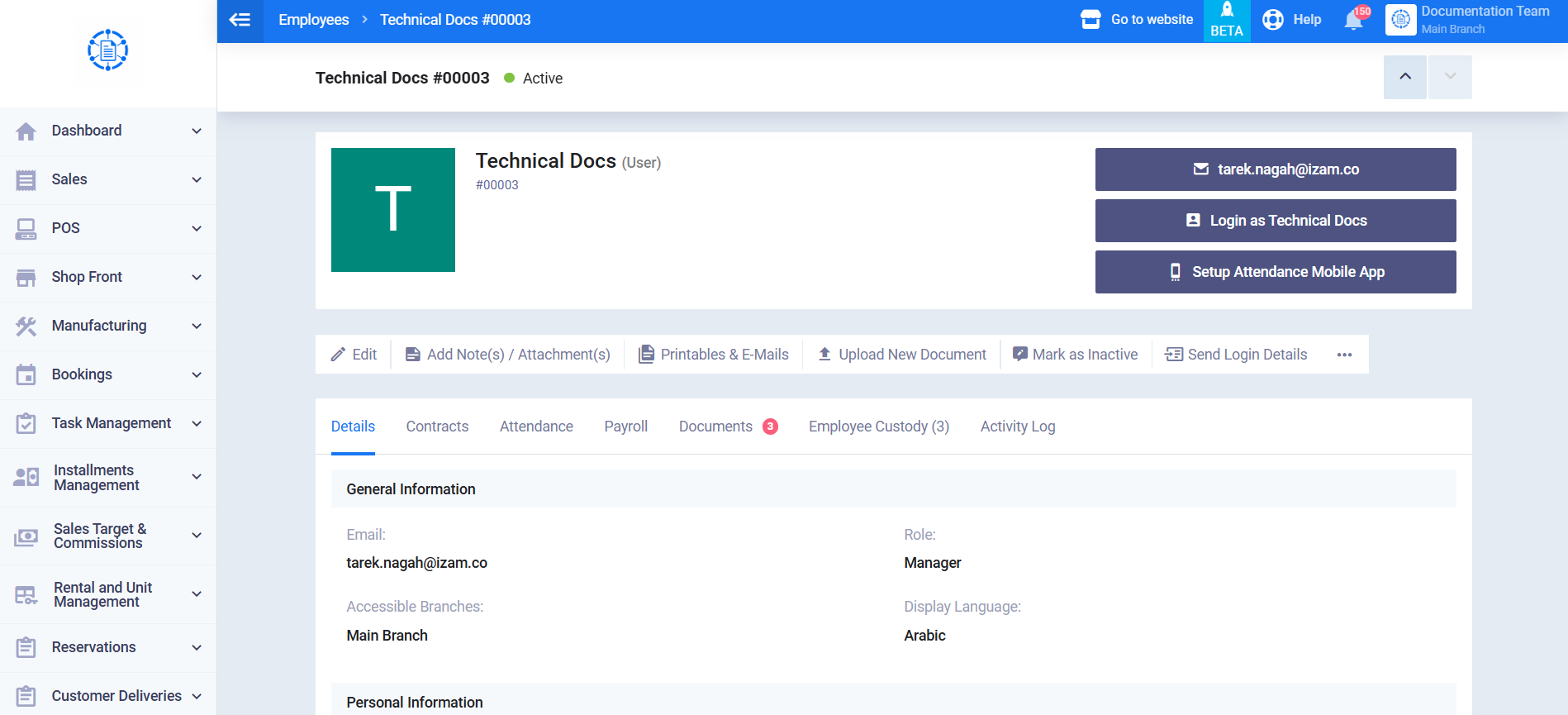
Step 2: Open the Additional Options Menu
At the top of the employee profile, click the “…” icon to open the additional options menu.
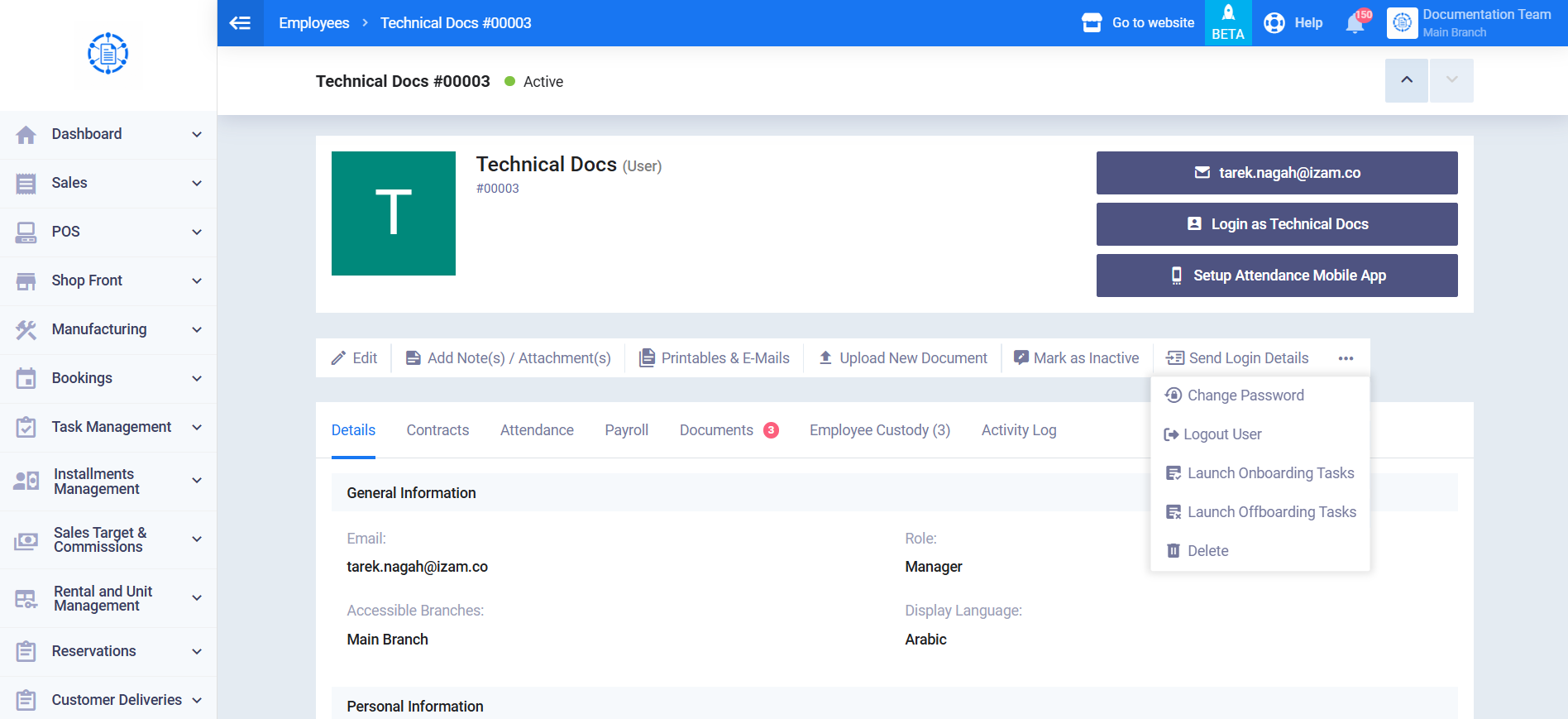
Step 3: Select the Required Action
Select Launch Onboarding Tasks to launch the employee’s onboarding flow.
Alternatively, select Launch Offboarding Tasks to launch the employee’s offboarding flow.
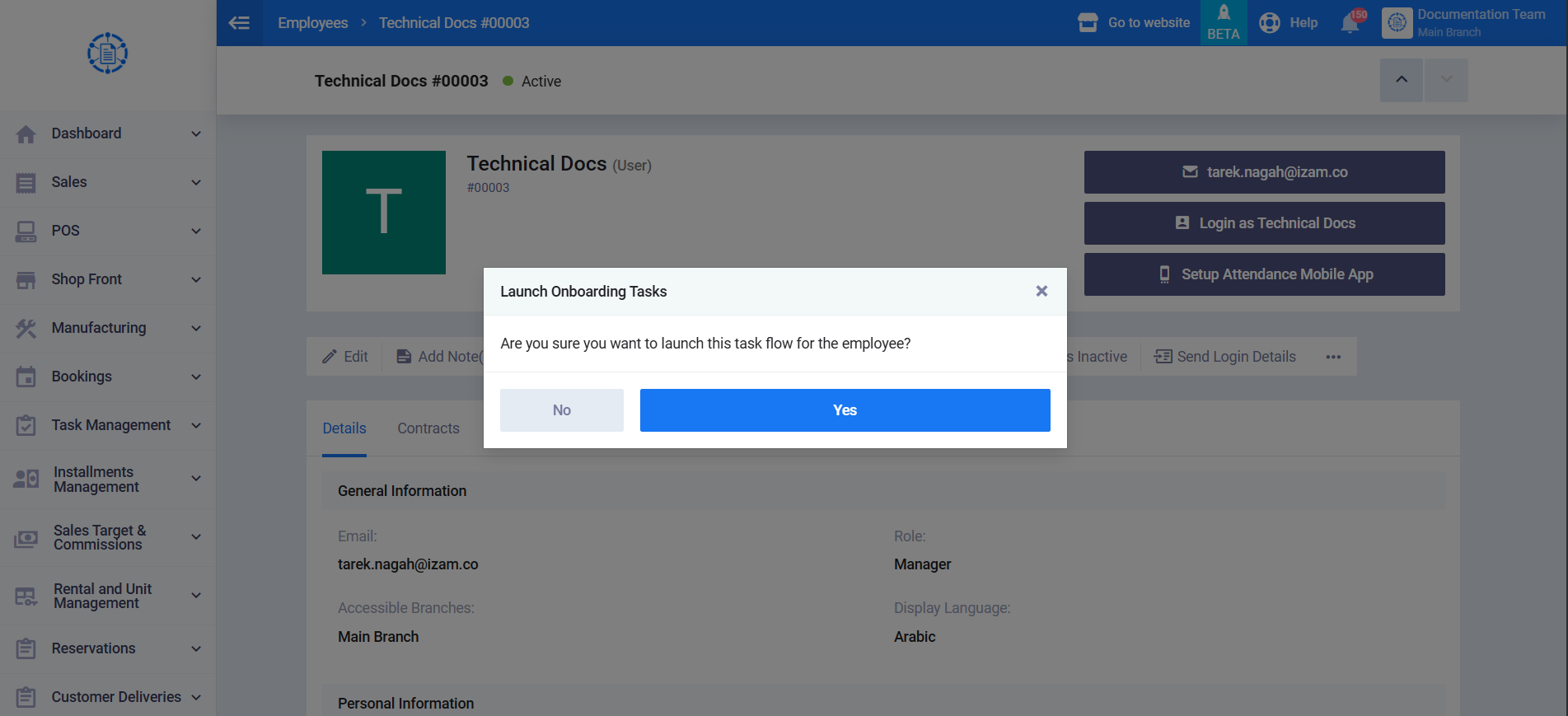
Step 4: Confirm the Launch
A confirmation message appears: “Are you sure you want to launch this task flow for the employee?”
Click Yes to confirm.
Once confirmed, the system creates a new Task Flow for the employee. The tasks defined in the configured Onboarding or Offboarding template are created and assigned to the selected employee, and all generated tasks start with the To Do status.