


Guide to Suspending and Hiding Accounts and the Difference Between Them
You can stop an account from being used in new transactions in two ways: Suspend the account or Hide it. Suspending suits accounts that already have transactions and that you want to stop using while keeping them in reports; hiding suits accounts that have no transactions at all. This lesson explains how to suspend and hide an account, when the system blocks it, and the difference between the two.
Before you begin
- You have the Manage Journal Accounts permission to suspend and reactivate accounts.
- The account exists in the Chart of Accounts.
Steps to suspend an account
- Go to Accounting, click Chart of Accounts, and open the parent account that contains the account.
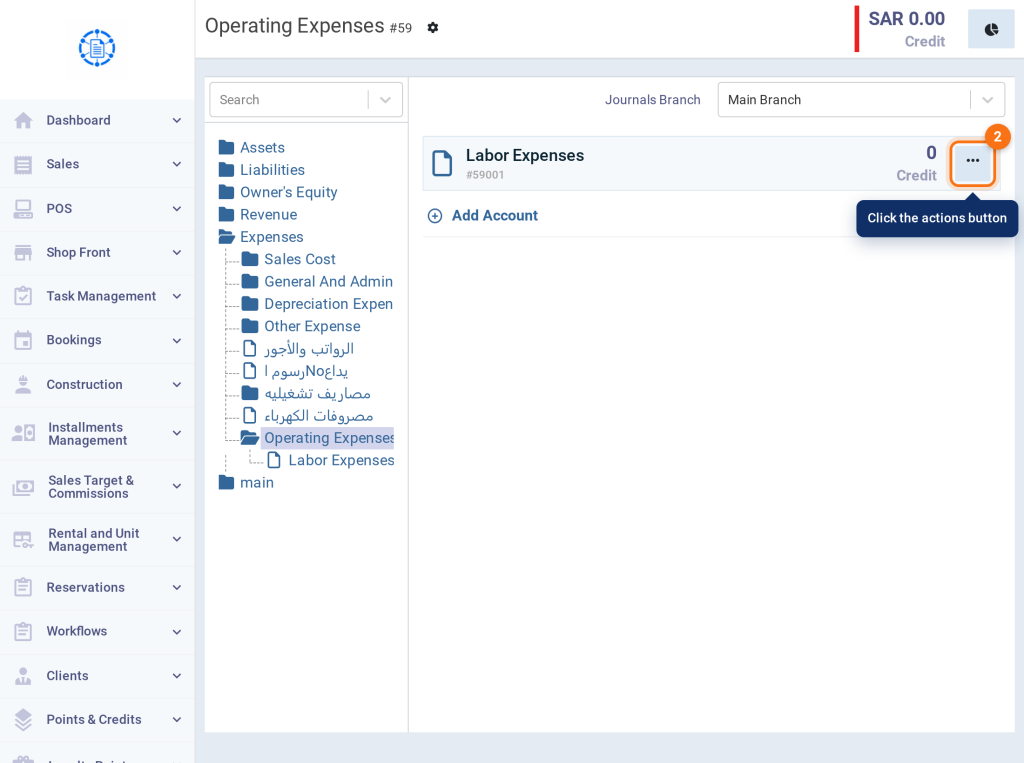
- Click the actions button (⋯) next to the account.
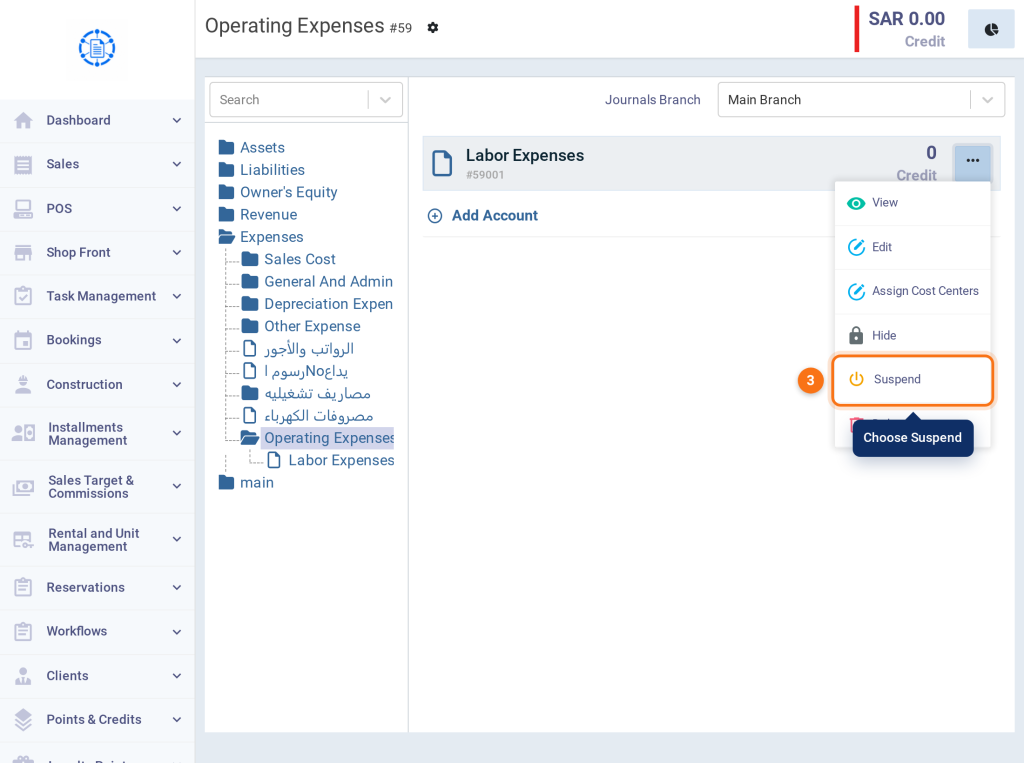
- Choose Suspend.
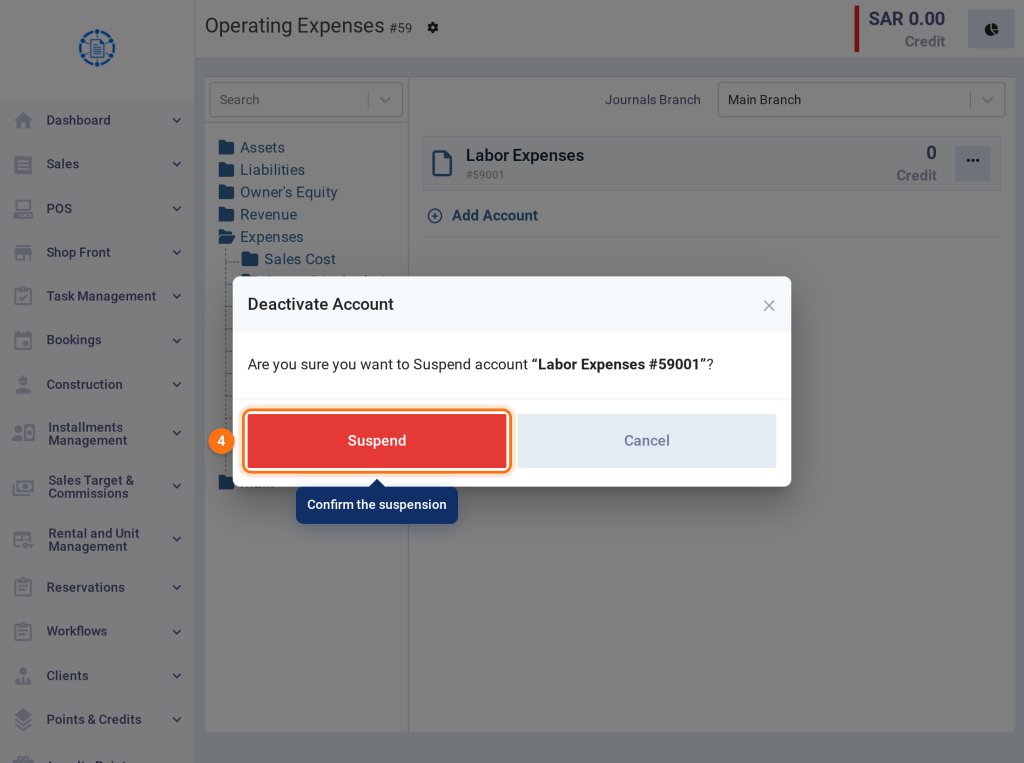
- The Deactivate Account window asks you to confirm. Click Suspend.
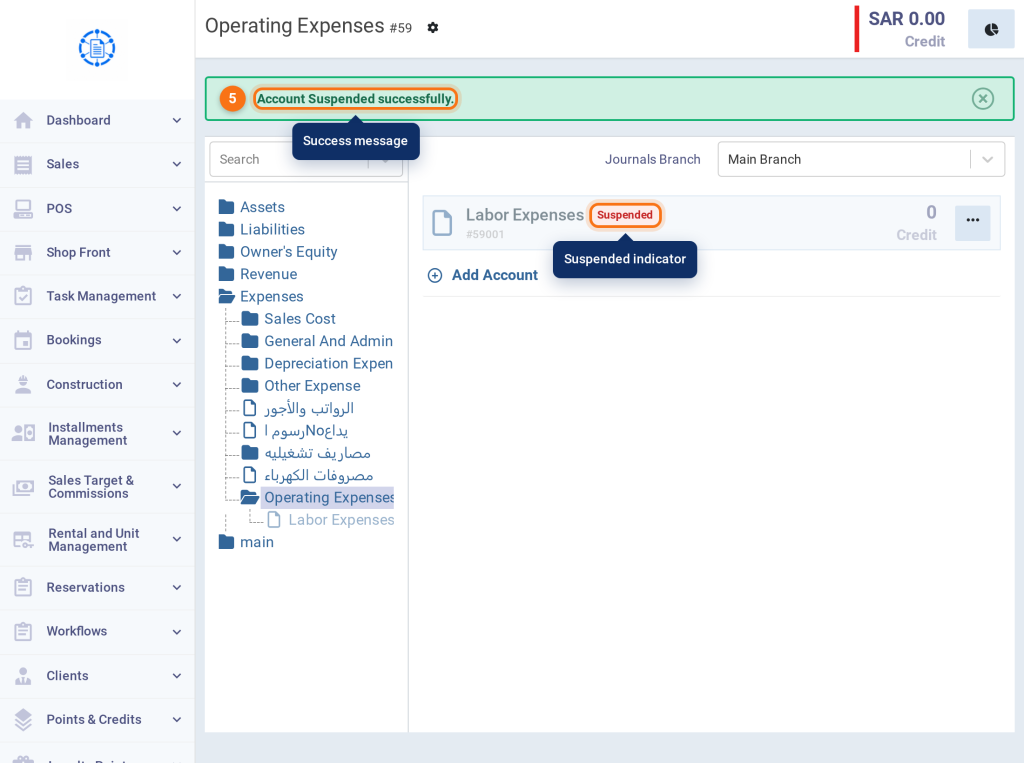
- The message Account Suspended successfully. appears, and a Suspended indicator shows next to the account name.
Reactivate a suspended account
- To cancel the suspension, click the actions button (⋯) next to the suspended account and choose Reactivate. This option appears on suspended accounts only.
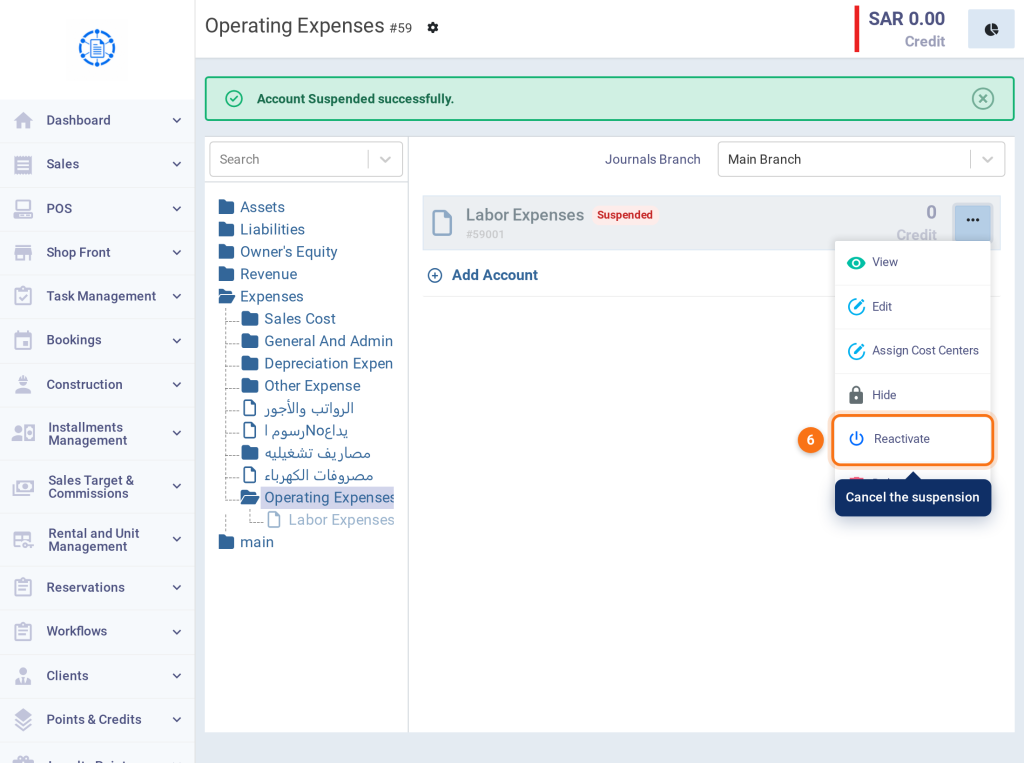
Accounts that can’t be suspended
The Suspend option appears on all accounts, but the system refuses to suspend in the following cases and shows a message explaining why:
| Case | Message |
|---|---|
| Main accounts: Assets, Liabilities, Owner’s Equity, Revenue, and Expenses. | This account can not be suspended |
| A parent account that has sub-accounts that aren’t suspended. | This account has 1 active sub-accounts. Suspend them first, or move them under a different parent. The message shows the number of active sub-accounts. |
| An account linked to an automatic system accounting route, such as Discount Allowed. | This account is linked to system routing and can not be suspended with a link to Accounting Routing. |
| An account selected in Accounting Routing. | This account is selected in accounting routes, to suspend this account you should remove it from accounting routing first with a link to the routing page. |
| The default account in the inventory settings. | You cannot suspend an account that is assigned as a default account with a link to Settings. |
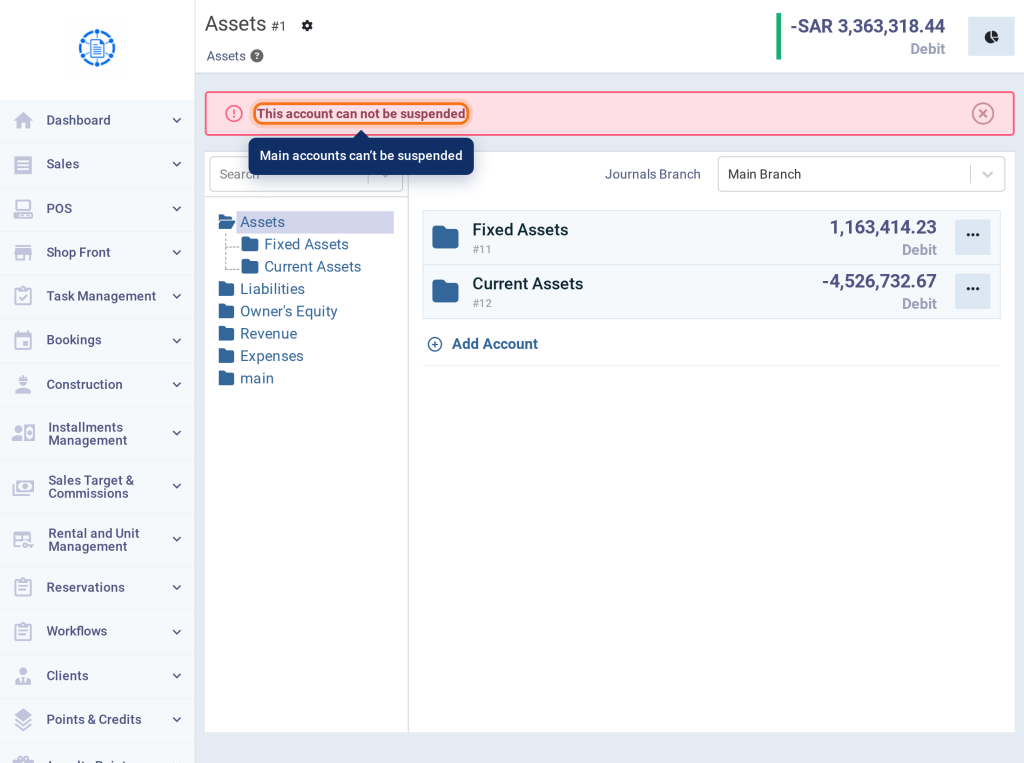
The message «This account can not be suspended» when trying to suspend a main account such as Assets.
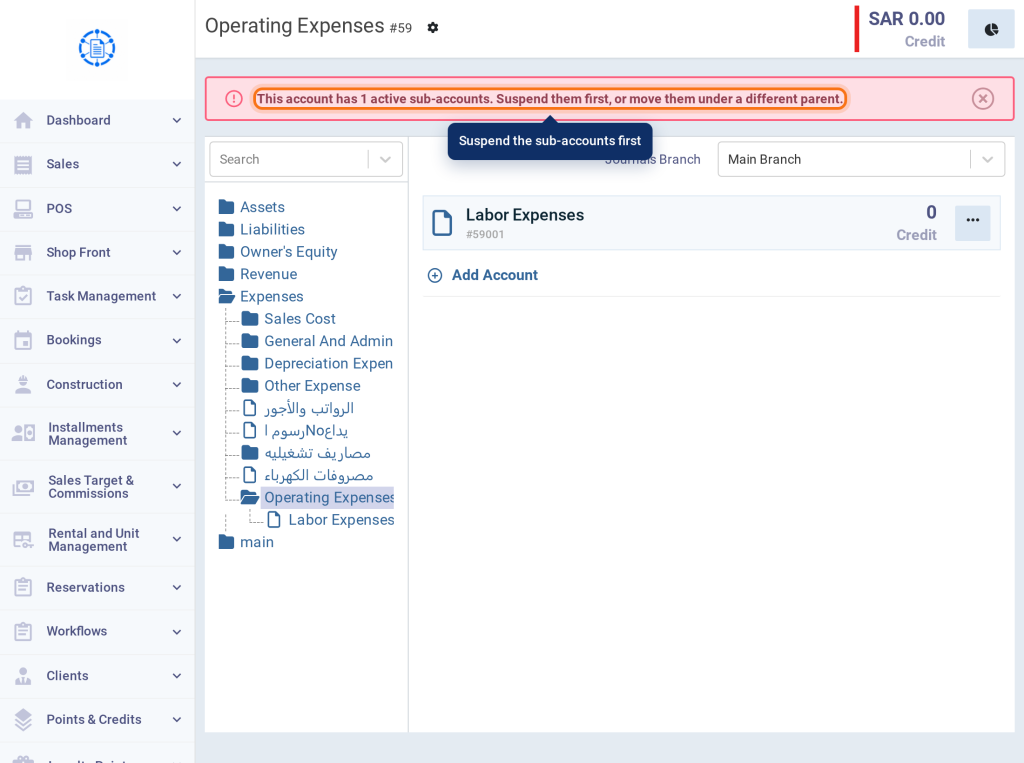
Suspension refused because the parent account has active sub-accounts, with their number.
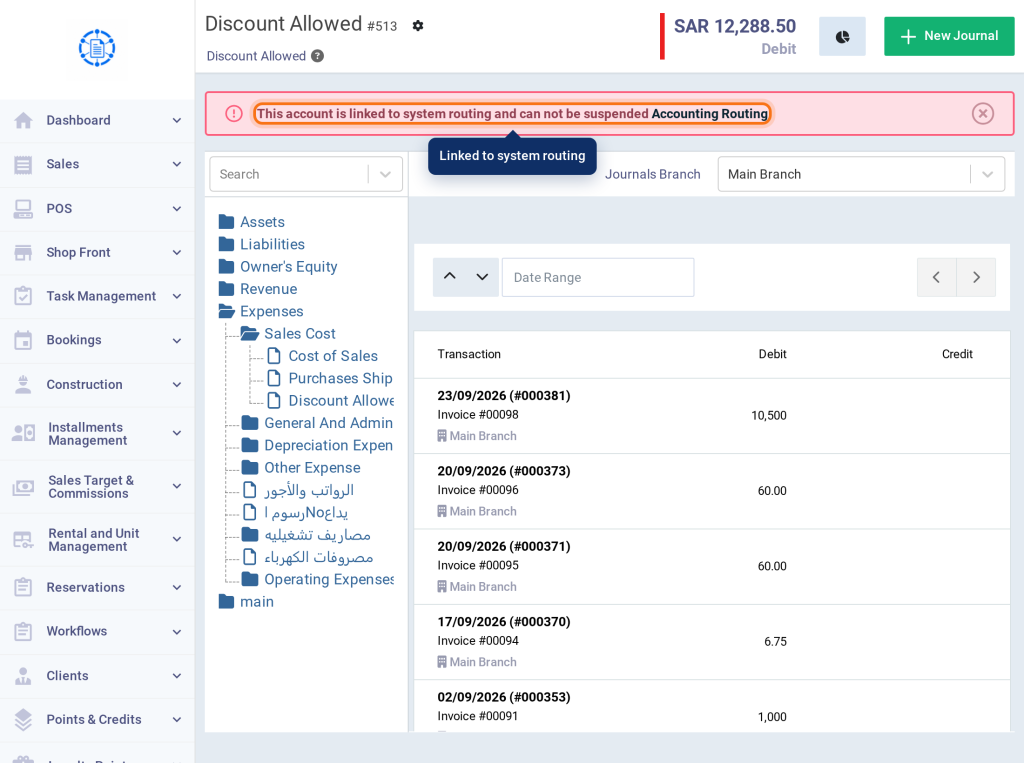
Suspension refused because the account is linked to an automatic system route, with a link to Accounting Routing.
Steps to hide an account
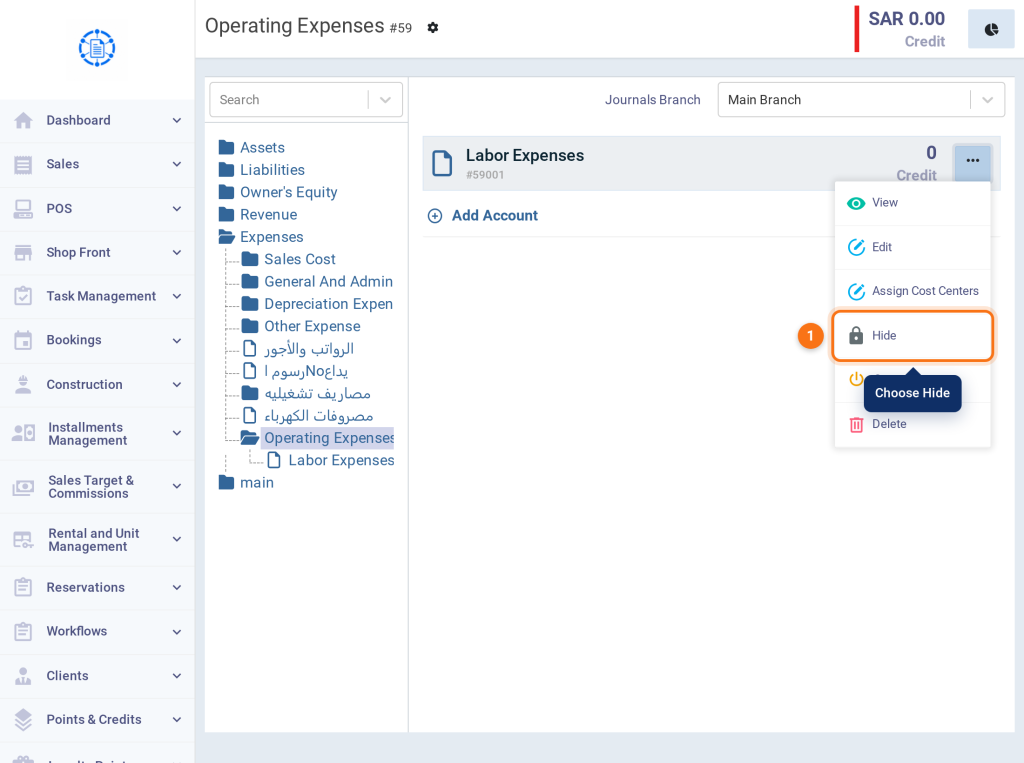
- From the Chart of Accounts, click the actions button (⋯) next to the account and choose Hide.
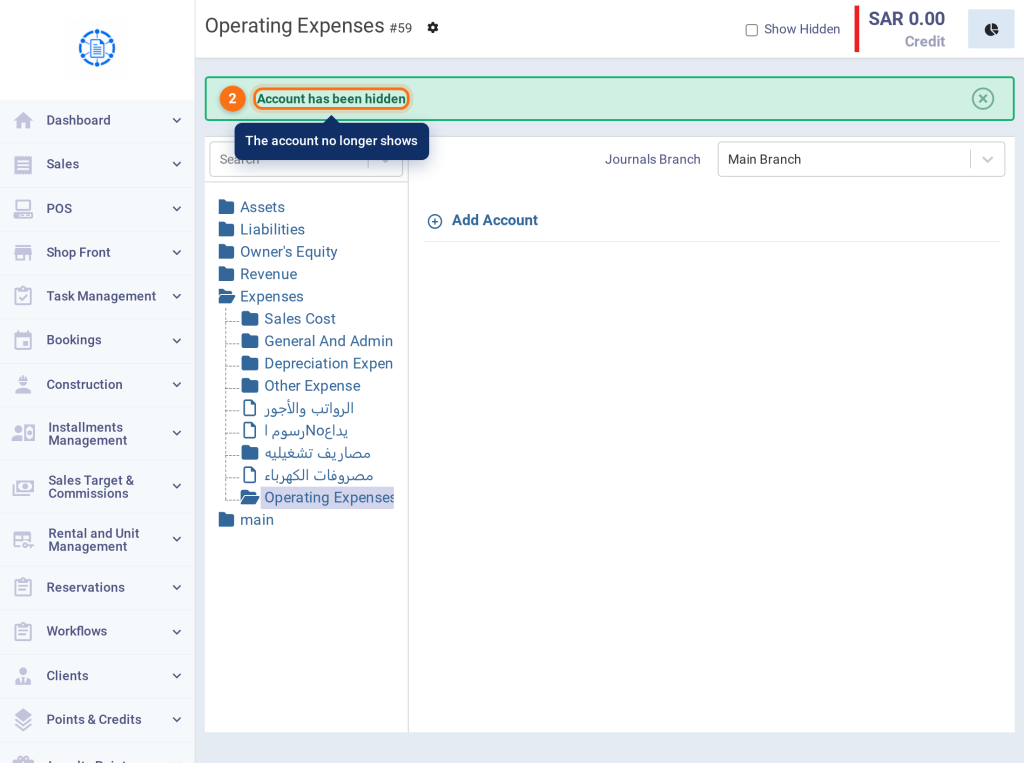
- The account is hidden right away without a confirmation message. The message Account has been hidden appears, and the account disappears from the chart.
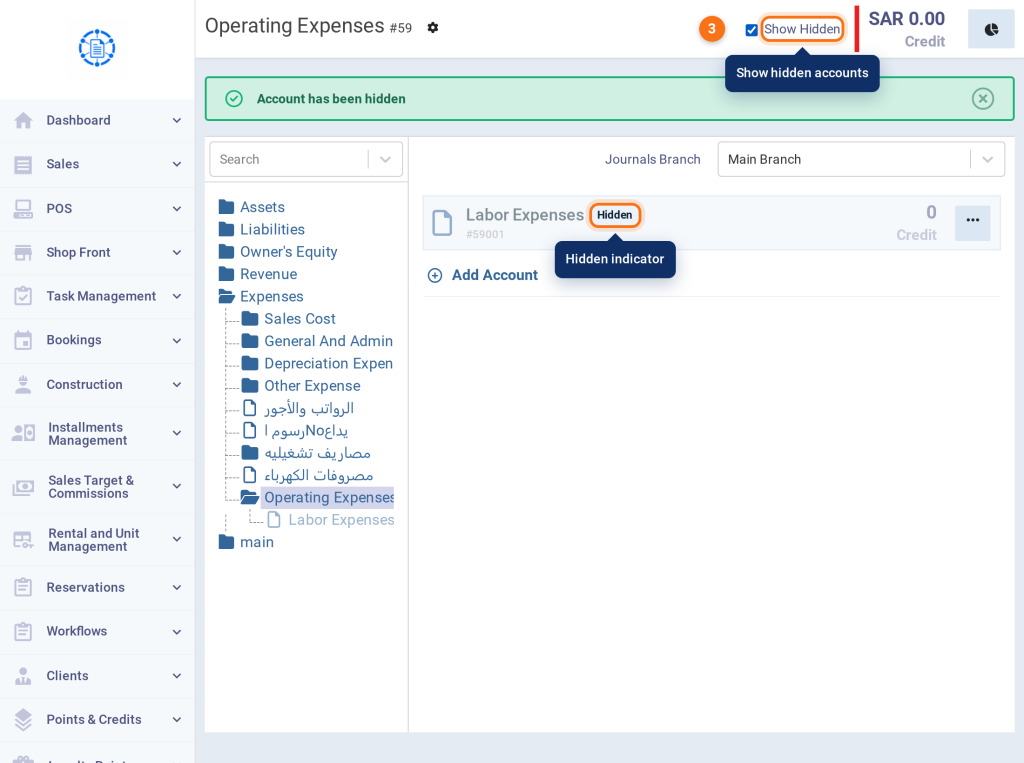
- To view hidden accounts, tick Show Hidden at the top of the page. The account appears with a Hidden indicator.
- To unhide it, click the actions button (⋯) next to the hidden account and choose Unhide.
Suspend vs. hide
| Item | Suspend | Hide |
|---|---|---|
| When to use it | An account with transactions that you want to stop using. | An account with no transactions that you don’t need. |
| Shown in the Chart of Accounts | Shown with a Suspended indicator. | Not shown unless you tick Show Hidden. |
| Selectable in new transactions | Not available | Not available |
| Reports | Shown normally. | Has no transactions to show in reports. |
| Confirmation message | Yes | No |
| To undo | Reactivate | Unhide |
FAQs
Why can’t I suspend the account even though the Suspend option appears?
Because the account is one of the cases the system blocks, such as a main account, a parent with active sub-accounts, or an account linked to Accounting Routing or set as a default account. The message explains the reason.
Does suspending an account affect past transactions?
No; past transactions, journal entries, and the account balances stay as they are, and the account appears in reports normally.
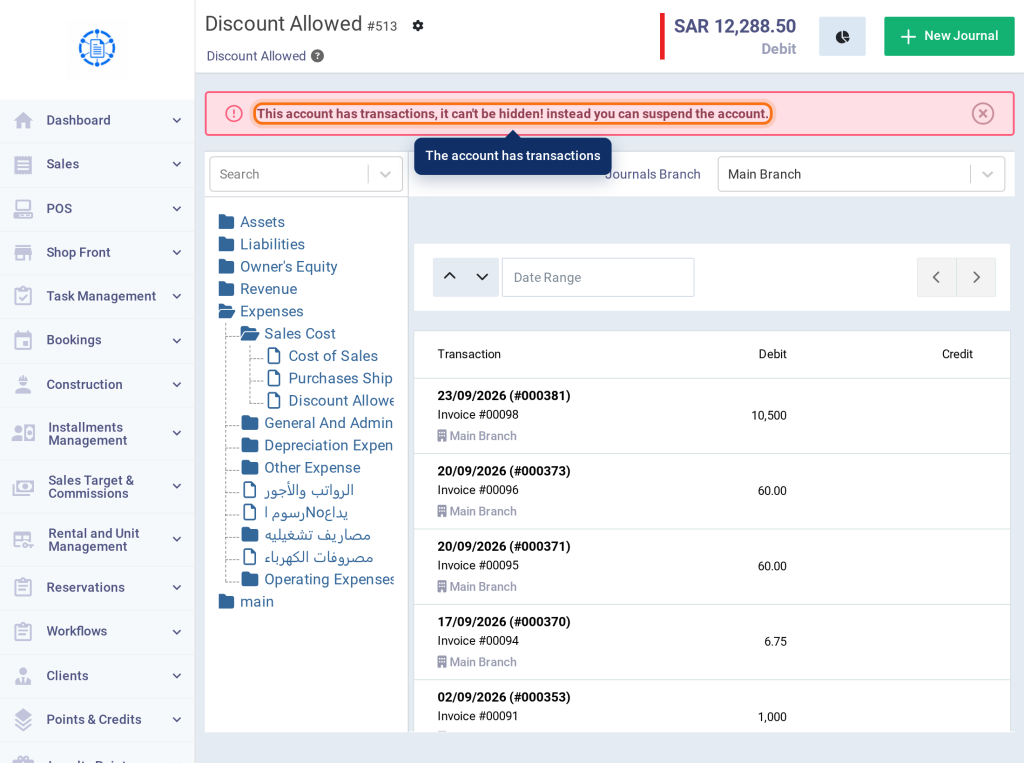
Why can’t I hide the account?
Because it has transactions. You can suspend it instead.
Are suspending and hiding recorded in the Activity Log?
Yes; suspending, reactivating, hiding, and unhiding are all recorded in the Activity Log.