Resolving the Issue of Being Unable to Send Login Details to a Client
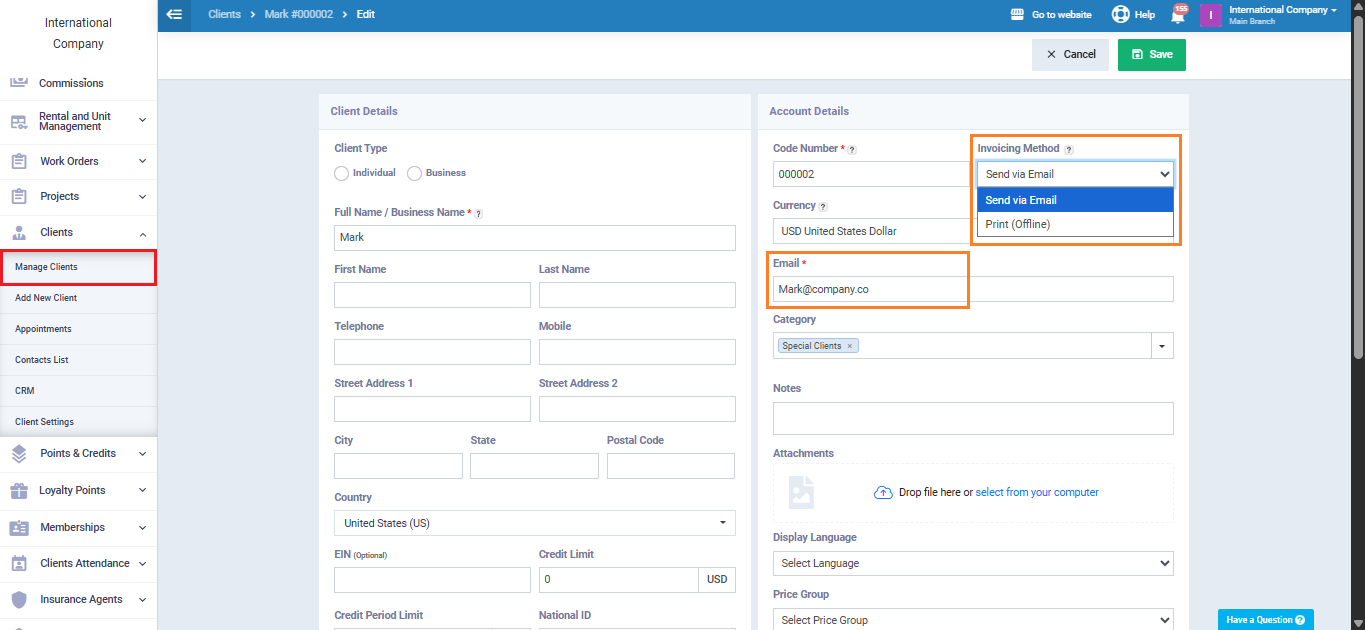
Normally, you can send login details to a client as long as they have an email address registered in their profile, as shown in the following image.
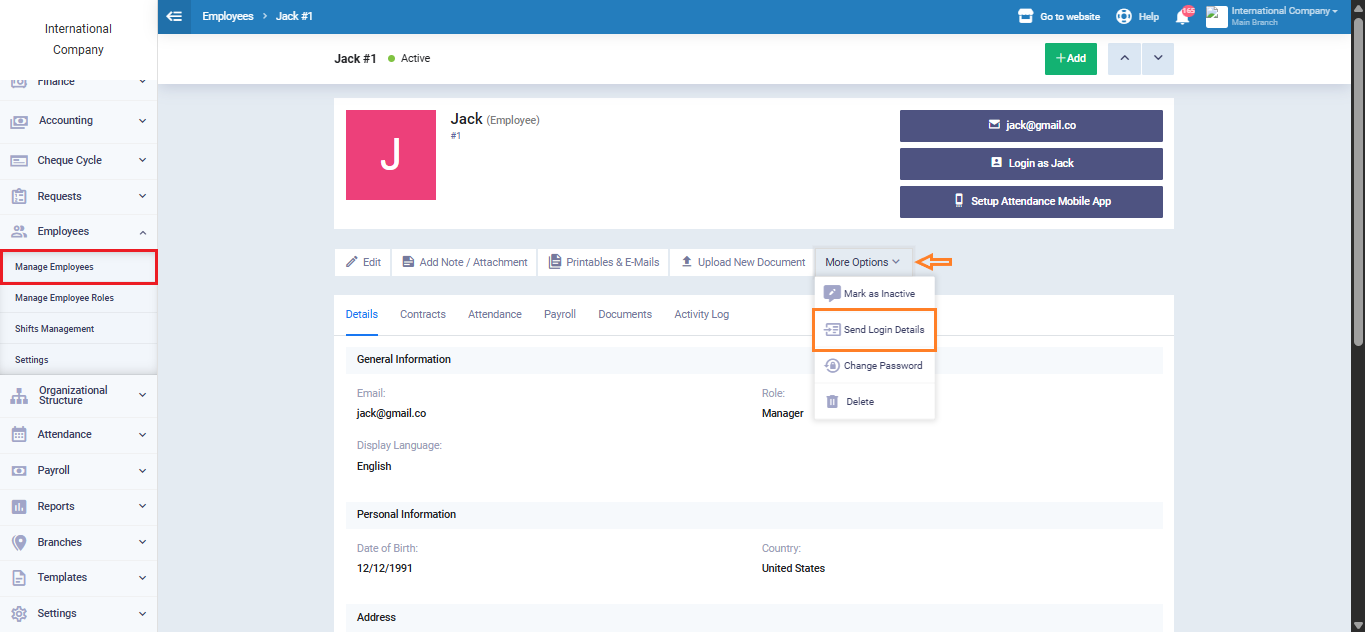
However, sometimes the “Send Login Details to Client” option does not appear even if the client’s email is present. If you encounter this issue, try the following steps:
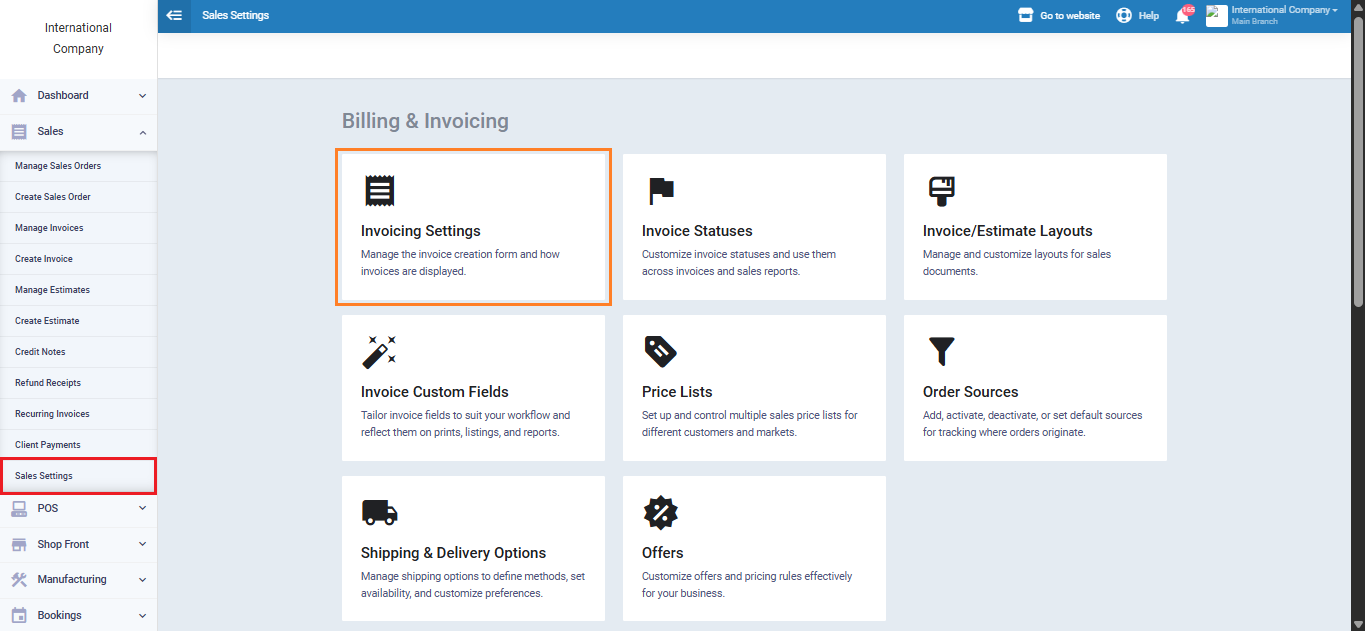
Click on “Sales Settings” under “Sales” in the main menu, then select “Invoice Settings.”
Go back and create a new client most likely, the client’s Billing Method field will now appear.
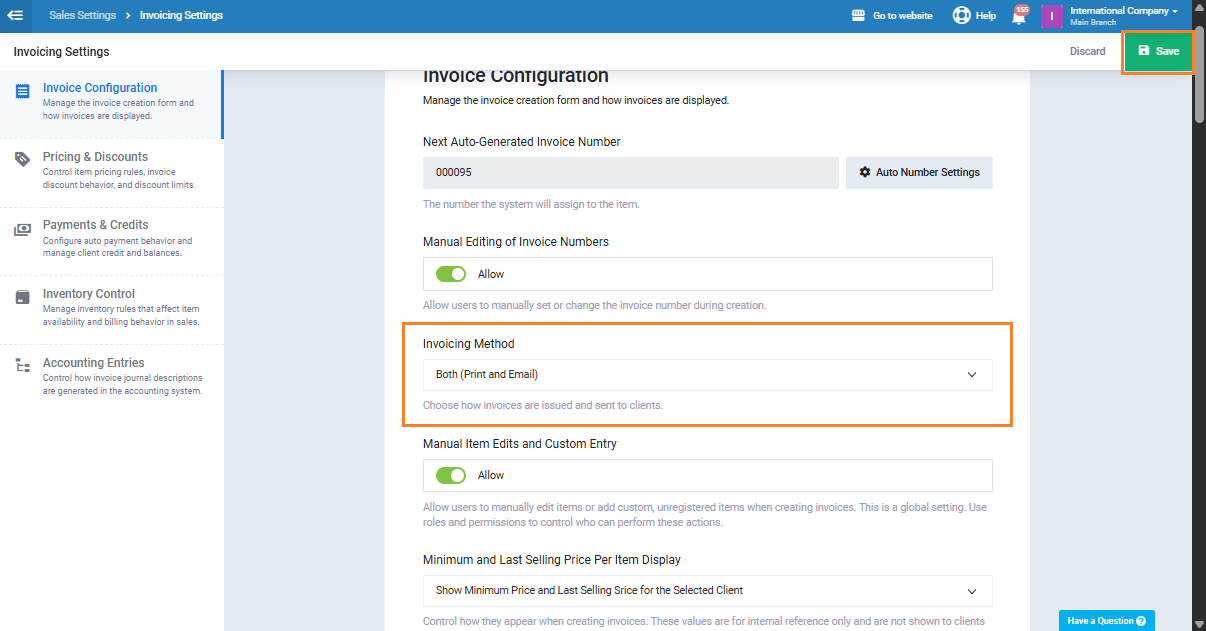
From the dropdown menu in the “Invoicing Method” field, choose “Both (Print and Email),” then click “Save“.
Next, open the profile of the client you want to send login details to and click “Edit.” Make sure the Billing Method in the client profile is set to “Send via Email” and that the email address is correct. Then click “Save“.
After completing these steps, the “Send Login Details to Client” option should appear and function normally.