


How to Display the Tax Number and Commercial Registration on the Client Page and Invoices
If the tax number and commercial registration are not appearing on the Client’s invoice or in the Client profile when adding or editing it, you only need to enable a simple setting.
Steps:
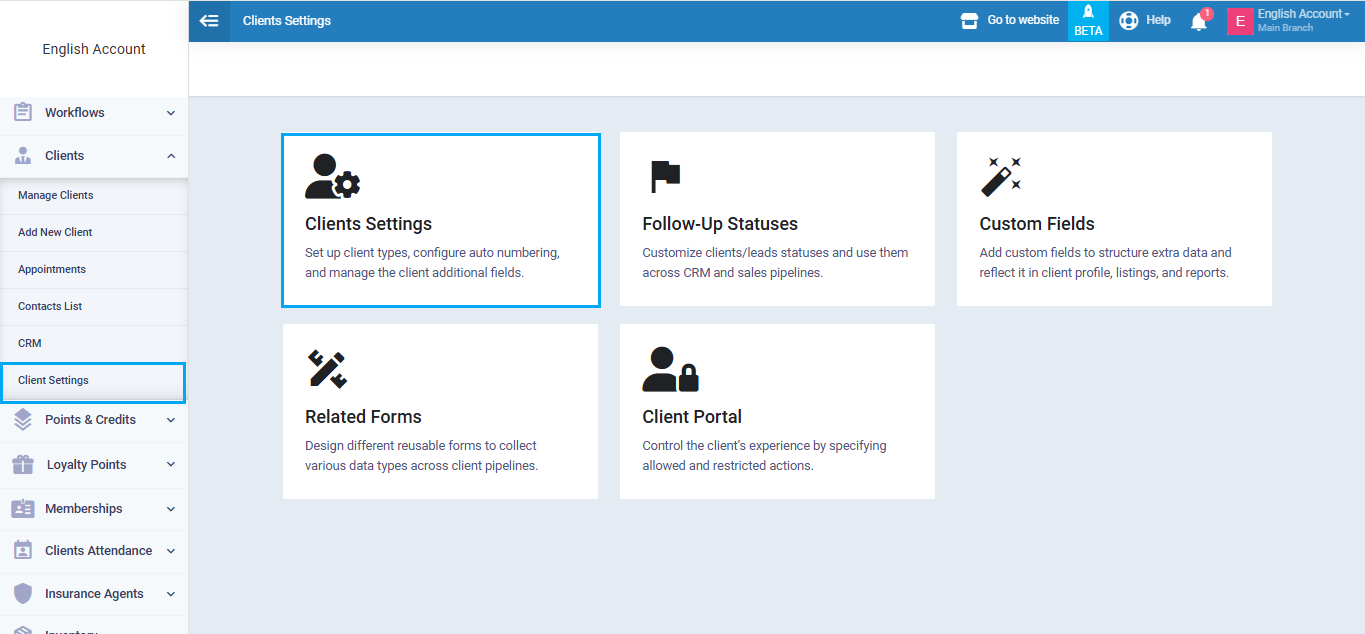
From the main menu, go to “Clients”, open the “Client Settings” dropdown, then click the “Clients Settings” card.
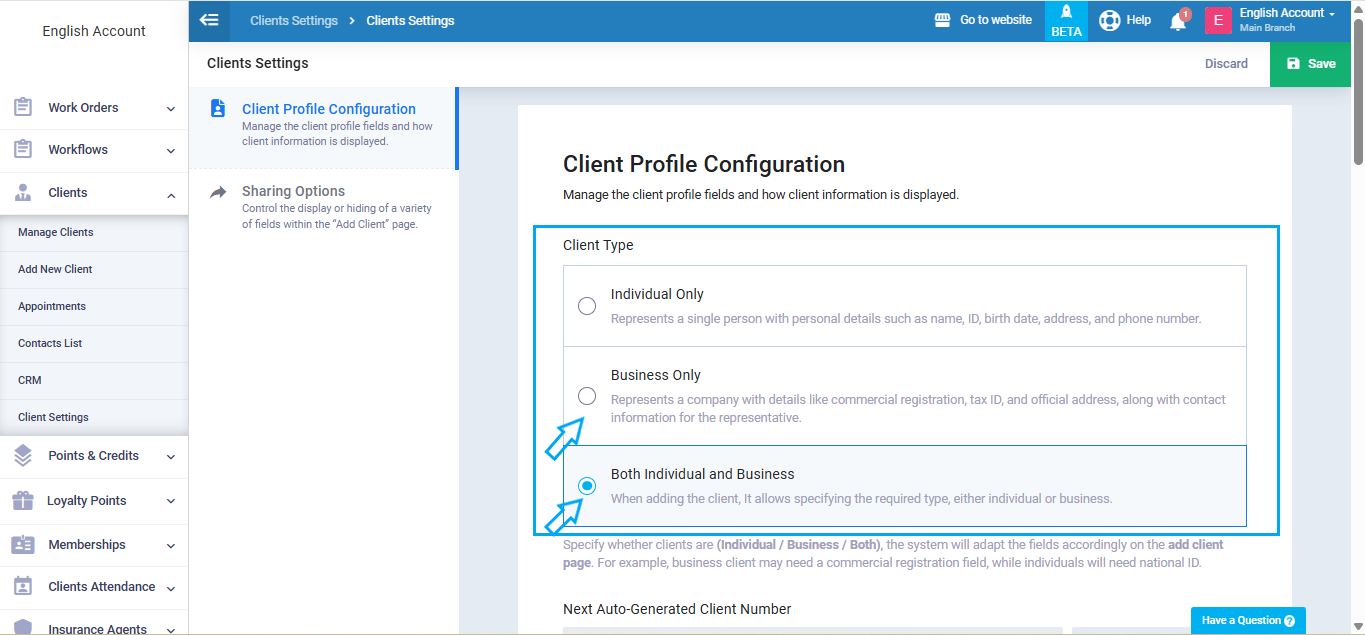
Set the Client Type to “Business Only” or “Both Individual & Business”, as the tax number and commercial registration do not appear for Individual Clients.
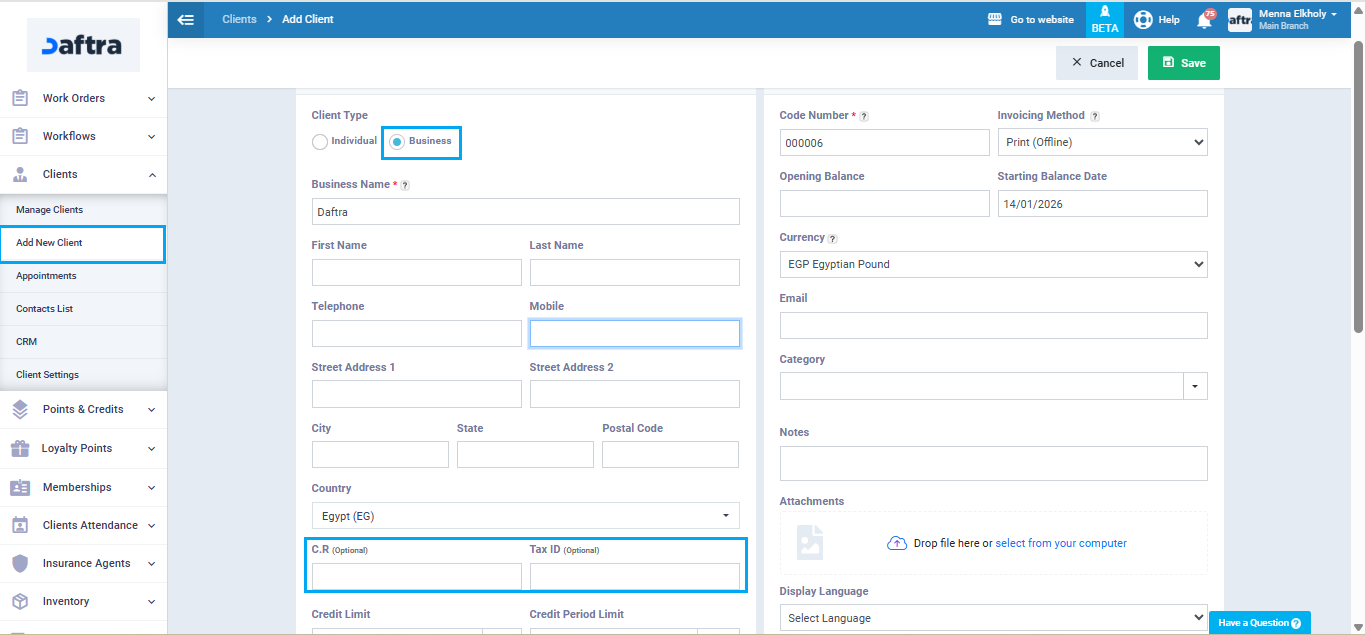
When adding a new Client or editing an existing Client profile, select Business as the Client type.
The Commercial Registration and Tax Card (Tax Number) fields will then appear.
 When creating an invoice for this Client, you will notice that the Commercial Registration and Tax Number are displayed on the invoice.