


Handling a Custody with a Remaining Balance
When an employee custodian has a remaining balance that cannot be fully settled, the system provides two options: returning the cash or recording the balance as a bad debt. This guide explains both options and how to reverse them if needed.
Option 1: Returning the Cash
If the employee returns the remaining balance in cash, record it as follows:
- From the main menu, click Finance.
- Click Employee Custody.
- Open the relevant custody from the list.
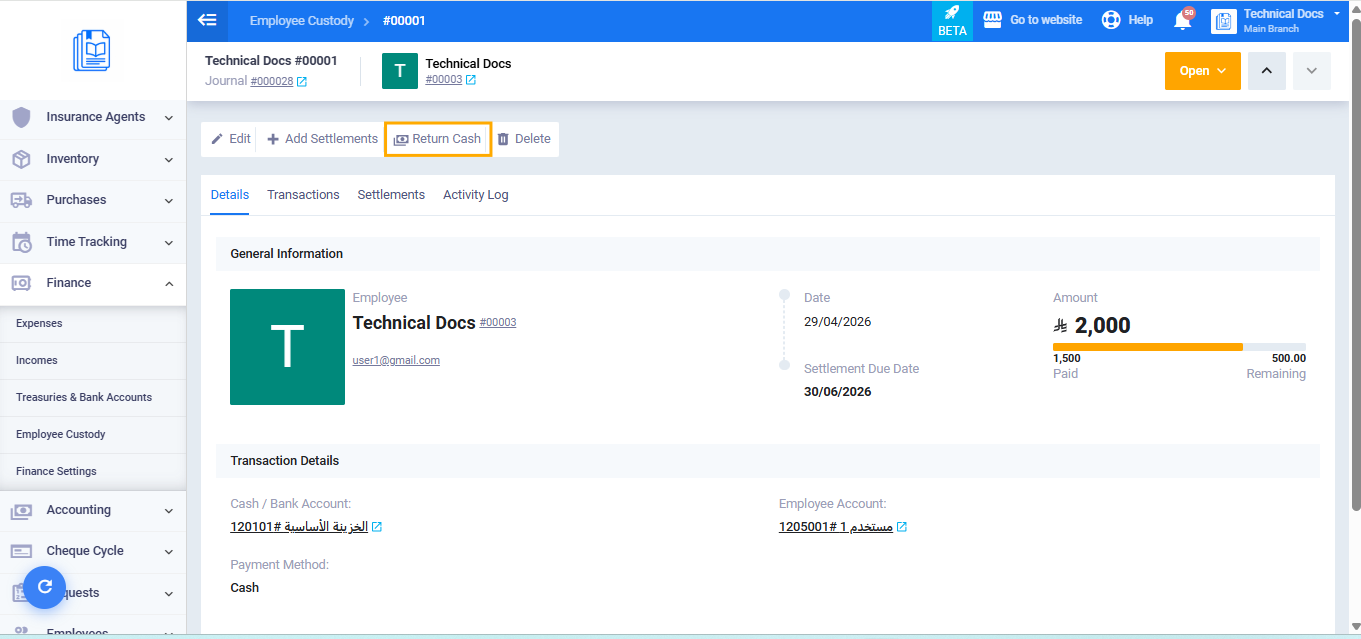
- Verify the remaining balance shown on the custody page.
- Click the Return Cash button.
- A confirmation message will appear: “Are you sure you want to settle the full remaining balance of this employee’s custody?”
- Click Confirm.
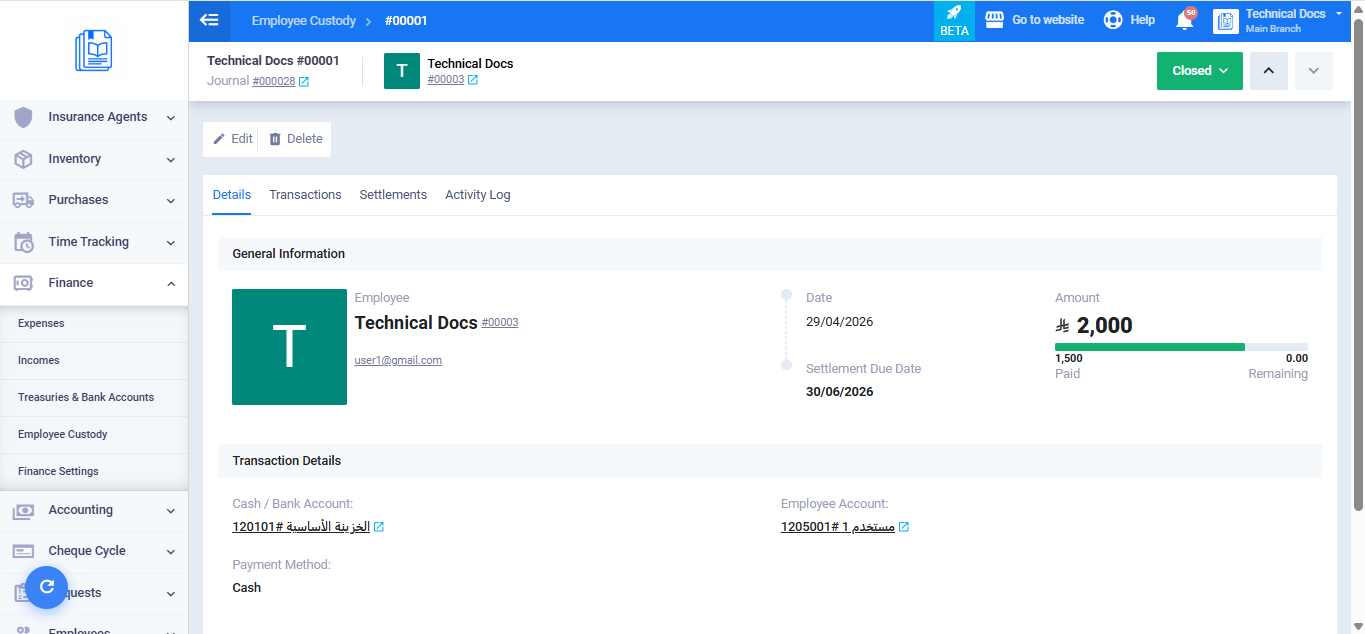
Once confirmed, the system automatically creates a journal entry transferring the remaining balance from the employee custody account to the designated cash or bank account, and the custody status changes to Settled.
Reversing a Cash Return
If the custody was closed after a cash return and you need to undo it:
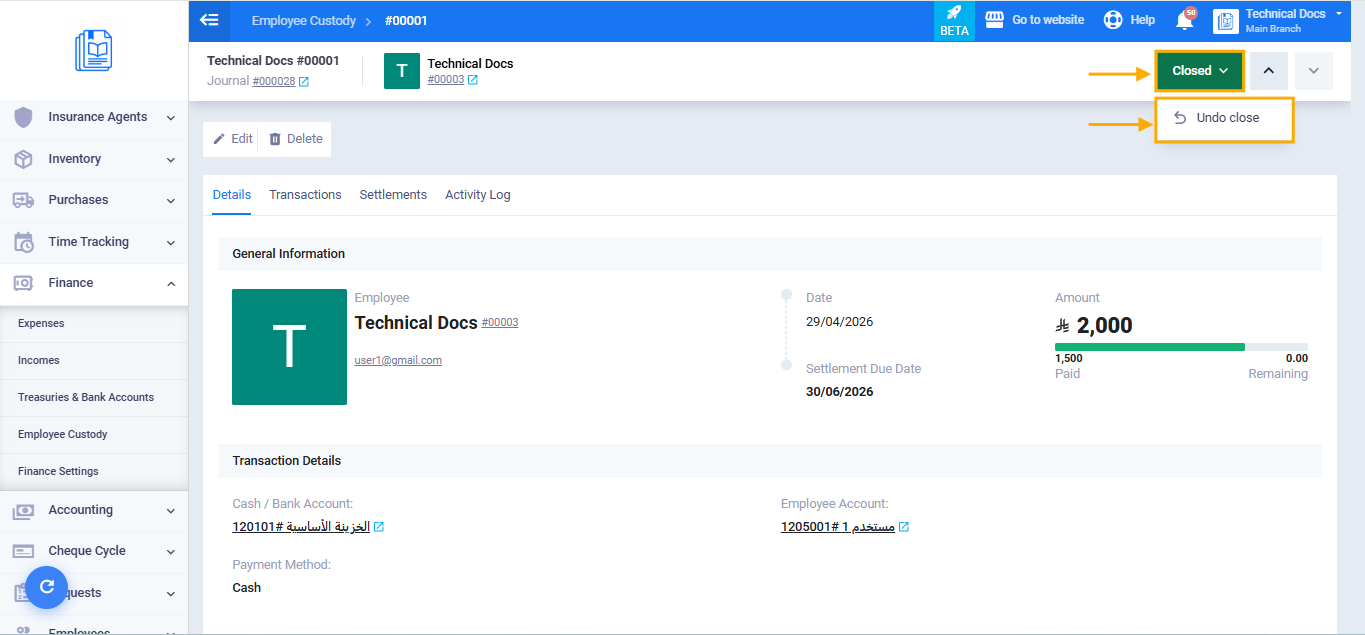
- From the closed custody’s view page, click Change Custody Status and select Undo Close.
- A confirmation message will appear: “Are you sure you want to undo the closed status? The custody will be restored to its previous state.”
- Click Confirm.
Option 2: Recording the Remaining Balance as a Bad Debt
If the remaining balance cannot be recovered from the employee, you can write it off as a bad debt:
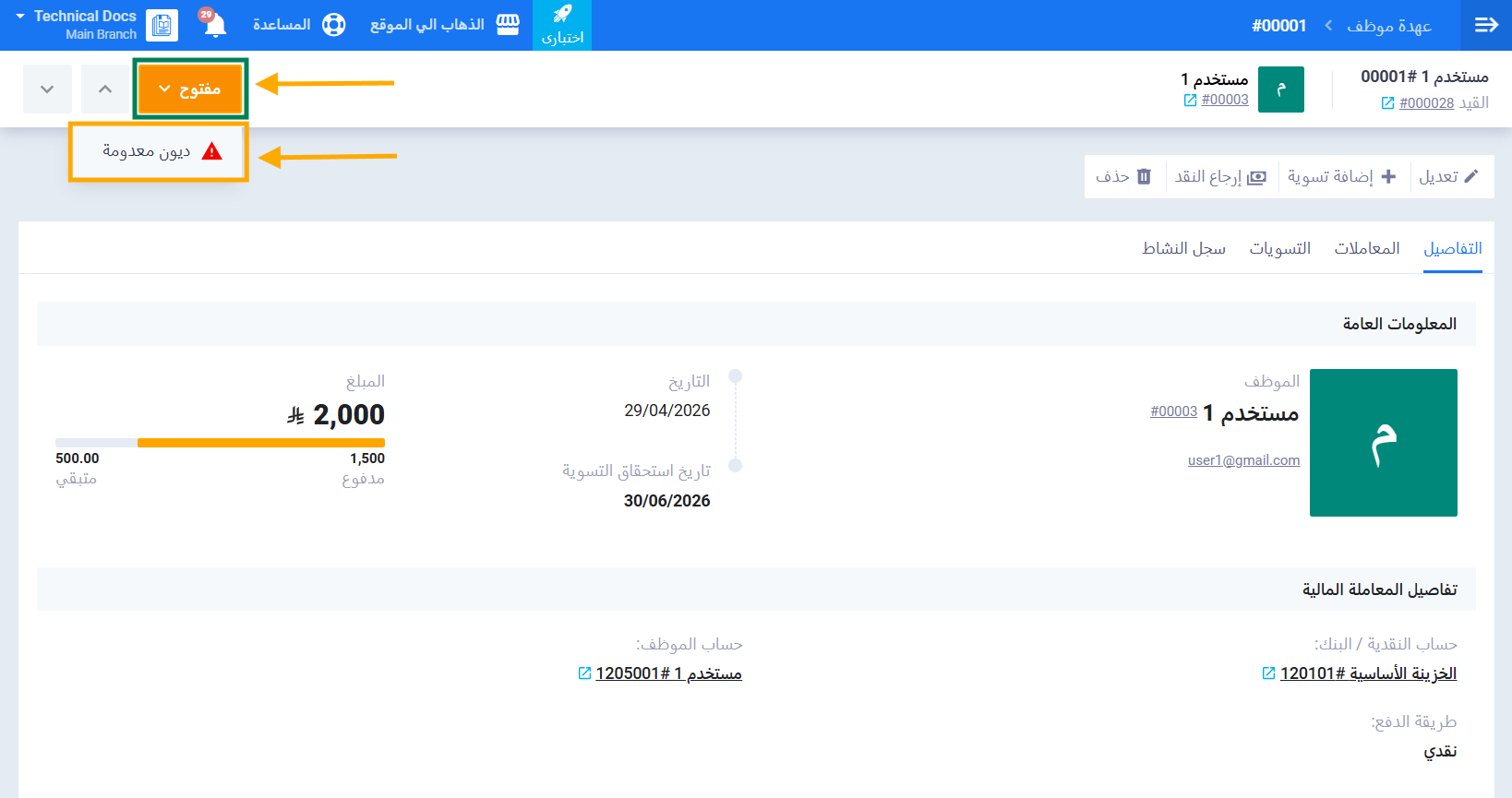
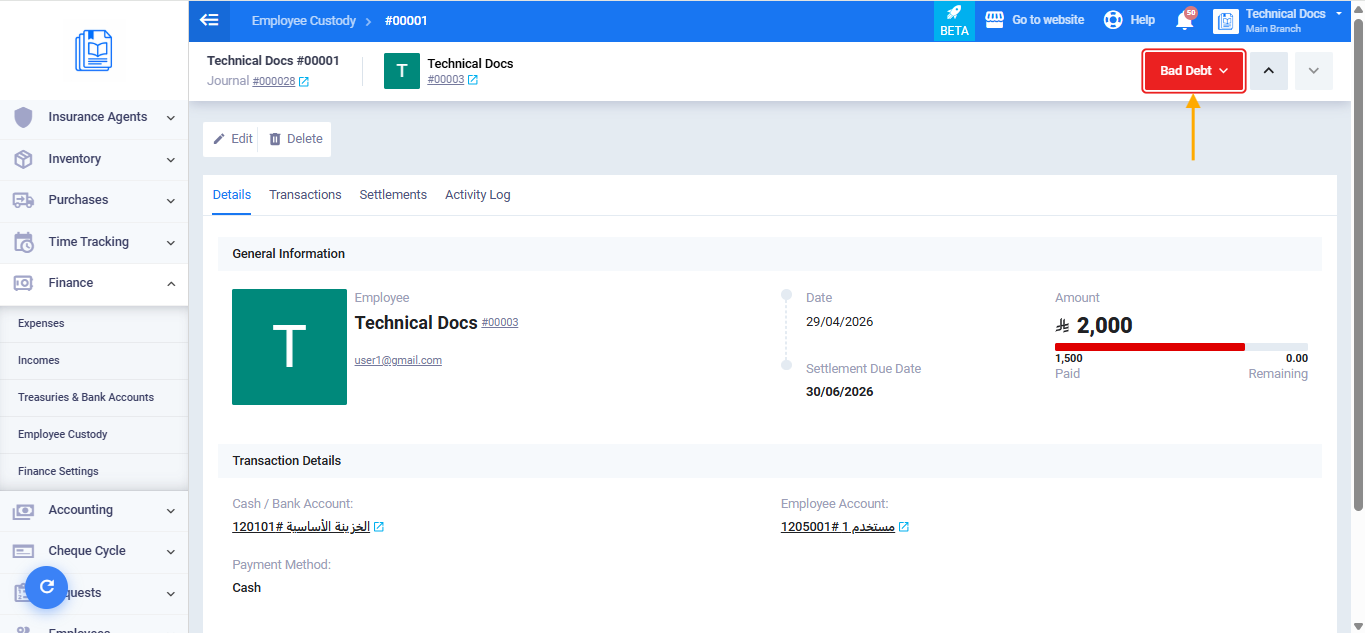
- From the open custody’s view page, click on Custody Status and select Bad Debt.
- A confirmation message will appear: “Are you sure you want to record this custody as a bad debt?”
- Click Confirm.
Reversing a Bad Debt
If a custody was incorrectly recorded as a bad debt, you can reverse it:
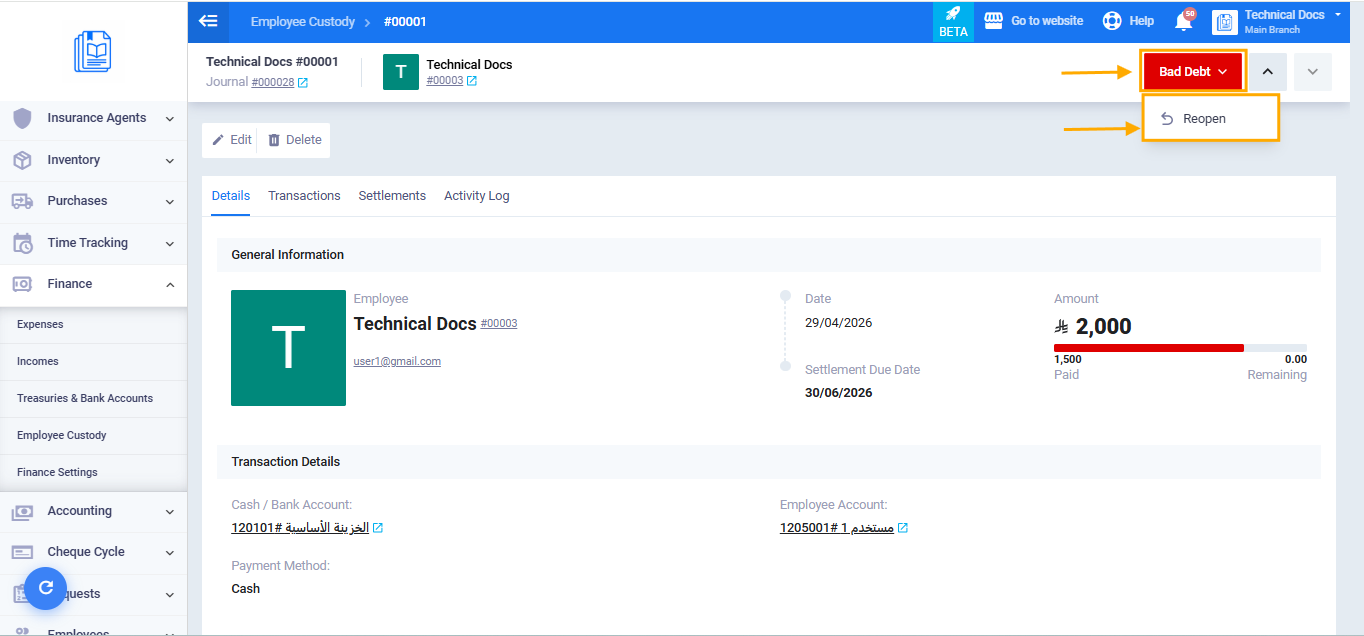
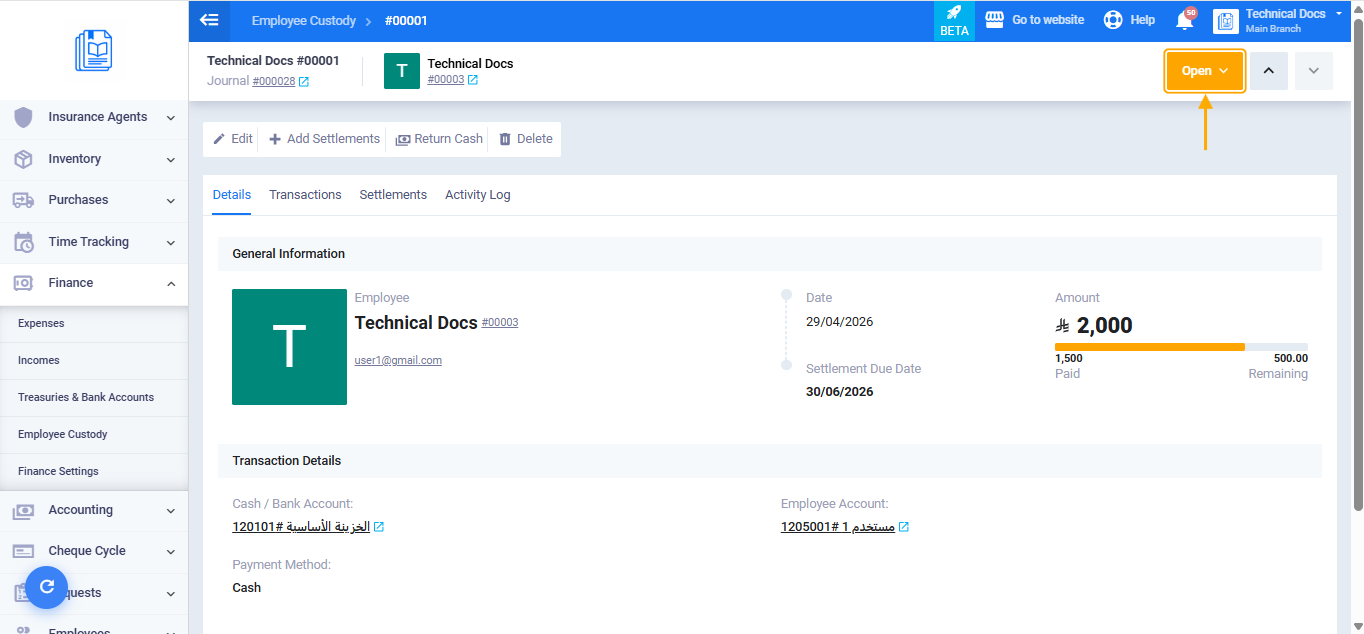
- From the custody’s view page, click on Custody Status and select Reopen.
- A confirmation message will appear: “Are you sure you want to undo the bad debt status? The remaining balance will be restored to the employee advance account.”
- Click Confirm.
Comparison Between the Two Options
| Return Cash | Bad Debt | |
|---|---|---|
| When to use | When the employee returns the balance in cash | When the balance cannot be recovered |
| Journal entry | Transferred to the cash or bank account | Transferred to the bad debt account |
| Custody status after | Settled | Bad Debt |
| Reversible | Yes, via Undo Closing | Yes, via Reopen |