






Adding WhatsApp as a Service Provider for Sending Messages
Organizations often require a faster and more efficient communication channel to stay connected with their clients, and WhatsApp is widely recognized as a familiar and trusted platform.
To support this need, the system enables you to integrate your account with WhatsApp and use it as a reliable channel for sending messages and notifications in an automated and structured manner. This guide outlines the clear and straightforward steps required to complete the setup successfully.
Configuring WhatsApp Integration Settings
To start configuring your messaging settings, go to “Settings” from the main menu, then select “SMS Settings.”
Within the list of service provider types, you will find the option to integrate with WhatsApp to send messages via Meta.
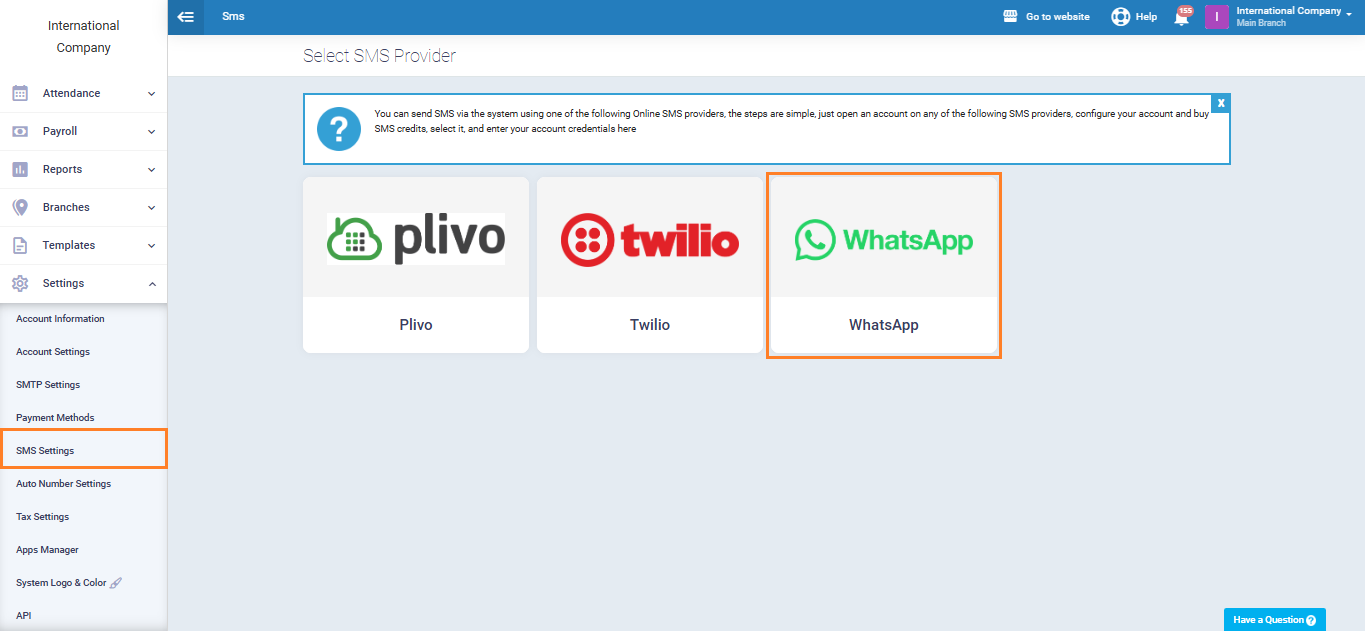
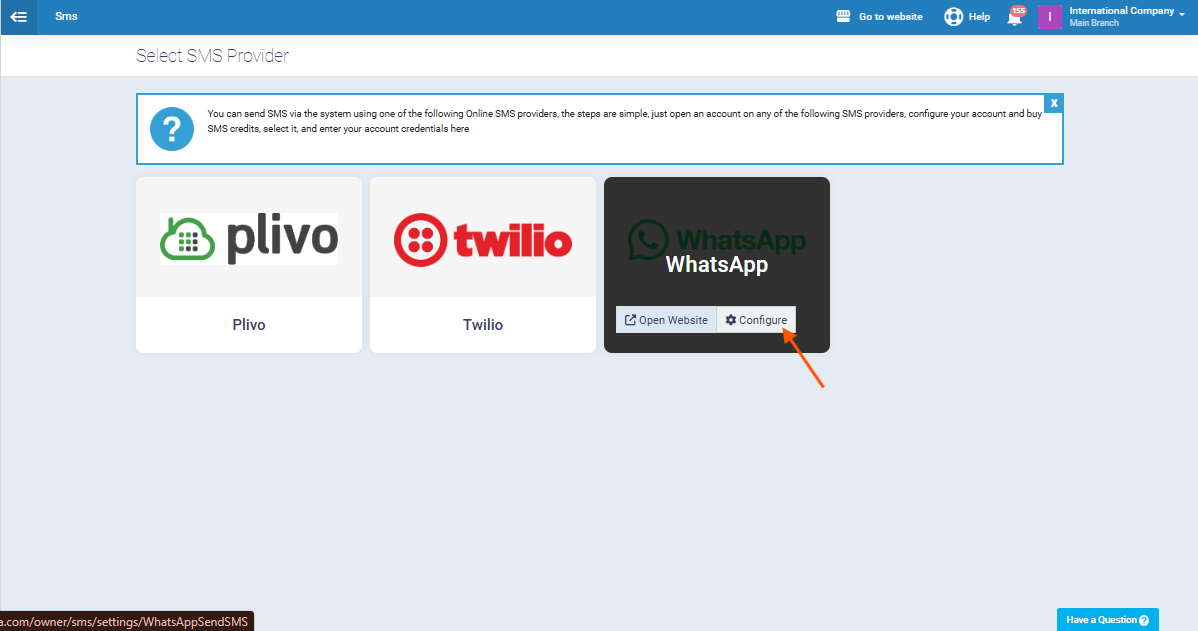
Click on the “WhatsApp” icon and click the “Configure” button to complete the integration.
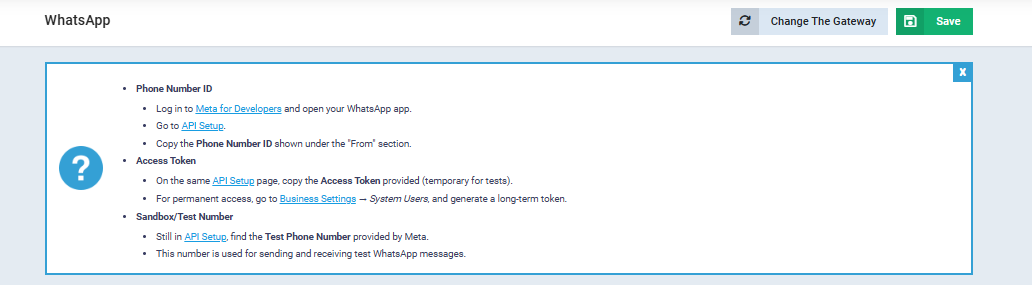
Follow the steps shown inside the system as illustrated in the image. Under each step, you will find a direct link that helps you complete it easily.
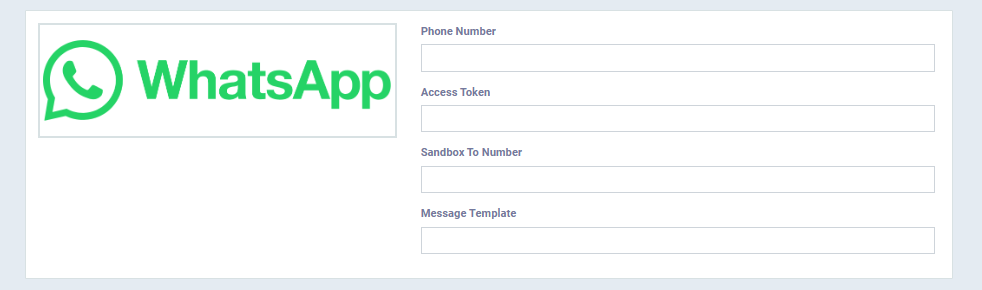
Next, you will be asked to enter a set of required details to finalize the integration, including:
- The “Phone Number” linked to your WhatsApp account.
- The “Access Token” generated from the Meta platform.
- The “Sandbox To Number” used for testing.
- The approved “Message Template” to be used for sending messages.
After entering all the required information correctly, click “Save“.
Creating an Automated Message Template
Now, go to the “Auto Reminder Rules” section, then click “Add” to create the message template you want to send automatically to clients.
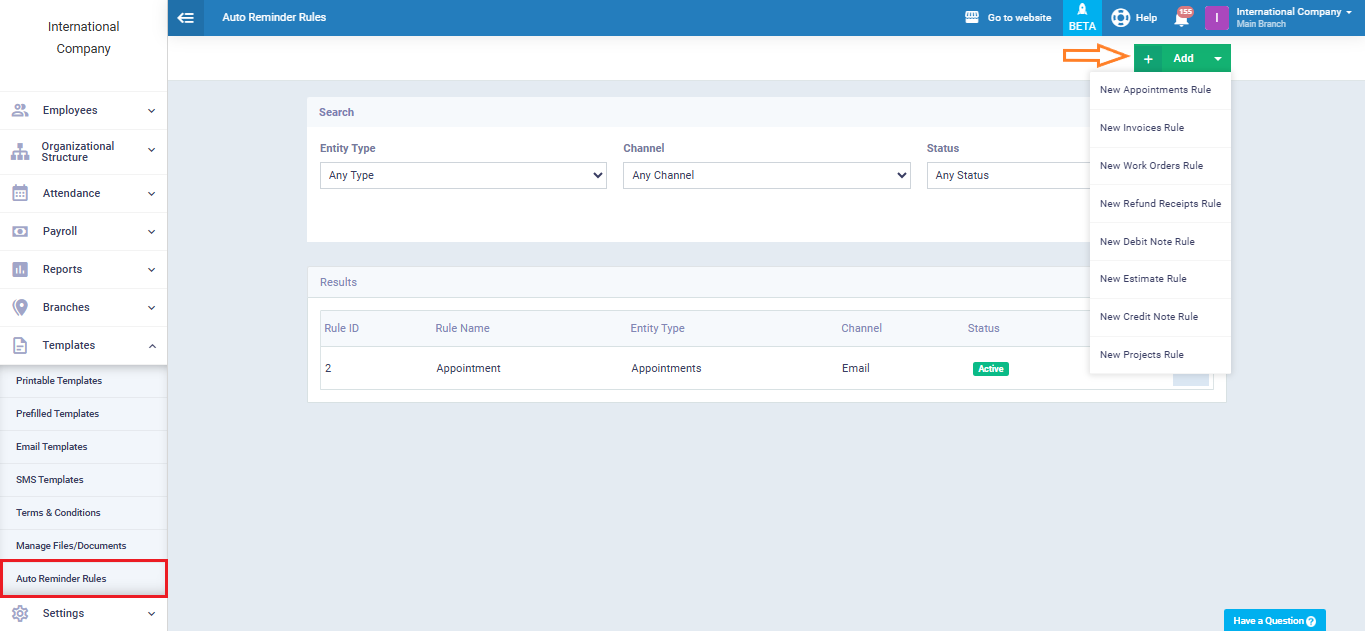
When the template is created, the system will submit it to the Meta platform for review and approval.
Once the template is approved by Meta, it will become available for use.