
How can I change the warehouse within the POS desktop application?
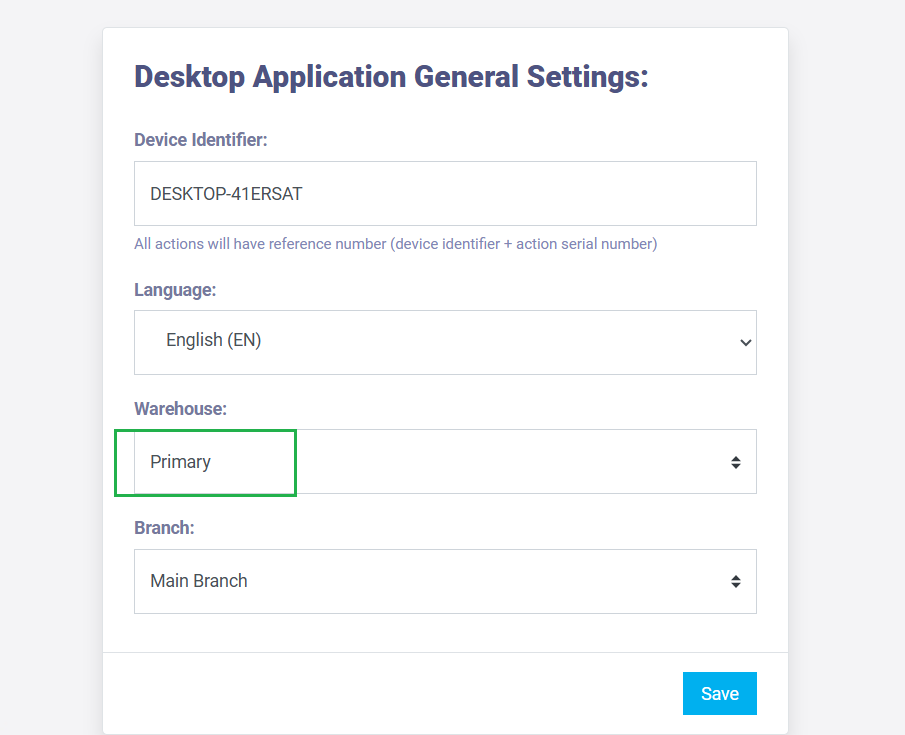
Then, select the desired warehouse from the dropdown menu under the warehouse field, and click the “Save” button.
 Attendance Registration Application ESS
 Daftra App
 Daftra Stocktaking App
 Electronic Invoice Scanner Application
 Point of Sale Desktop Application
 Point of Sale Mobile Application
 Quick Expenses Scanner App for Mobile
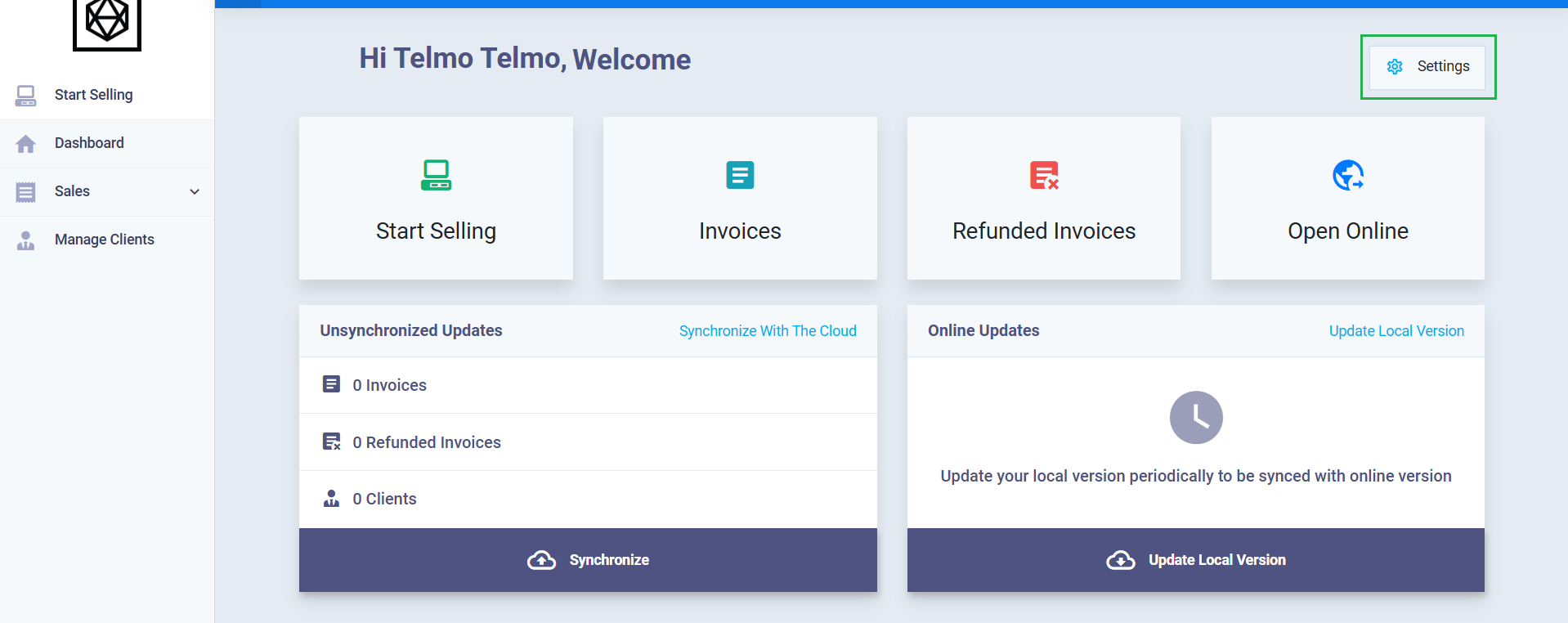
If you want to change the warehouse from which the point of sale products are dispensed within the POS desktop application, click on “Settings” after logging into the Daftra desktop application.
Then, select the desired warehouse from the dropdown menu under the warehouse field, and click the “Save” button.