







Daily Attendance Record Card Guide in the Attendance App
The Attendance record card on the homepage of the self-service app provides an instant and accurate overview of your attendance for the day, from check-in and check-out times to delay status, all the way to total working hours at the end of the day.
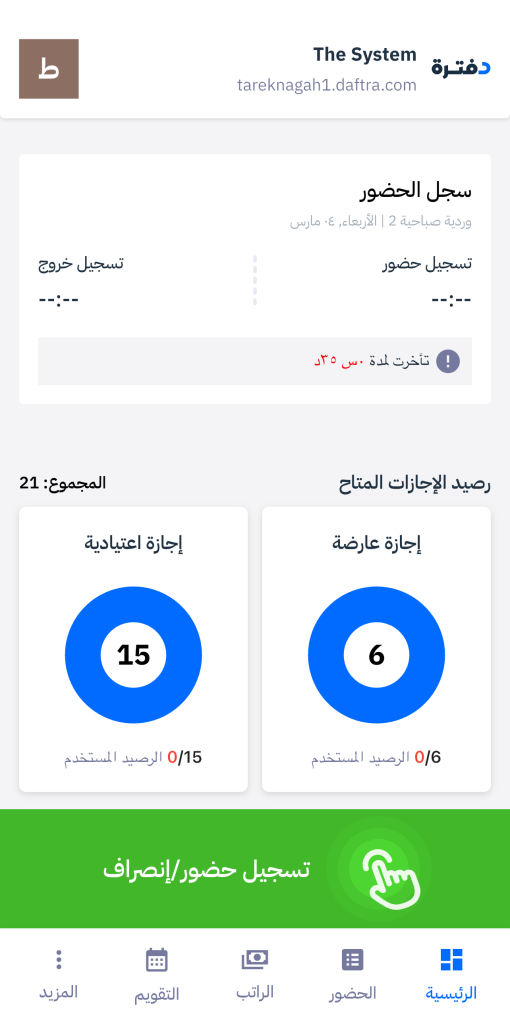
Default Card Status
At the beginning of each workday, before taking an action, the card appears in its default empty state:
- Check-in: –:–
- Check-out: –:–
- No total working hours are displayed
3o mins before the shift starts, the card changes to display a reminder:
“Shift starts at HH:MM” to notify you of the upcoming check-in time.
Delay Messages
If the shift start time and the allowed grace period pass without recording check-in, the card displays:
“Late by X minutes“, calculated as follows:
- Shift starts at 9:00 → Employee checks in at 9:03 → Delay = 3 Minutes
- Shift starts at 9:00 with a 5-minute grace period → Employee checks in at 9:07 → Delay = 2 minutes (calculated after the grace period ends).
The same delay logic applies to check-out.
After Check-in
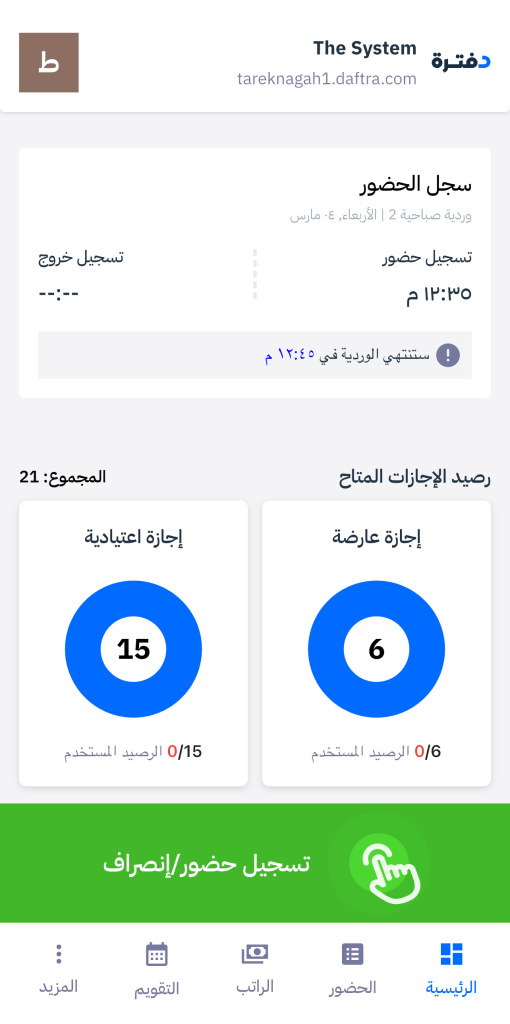
Once you check in, the card updates to display:
- Actual check-in time.
- “Late by X minutes” if arrival is after the allowed time, or no message if on time
- “Shift ends at HH:MM” so you know when your shift finishes.
This message remains until you check out or the check-out window closes.
After Check-out
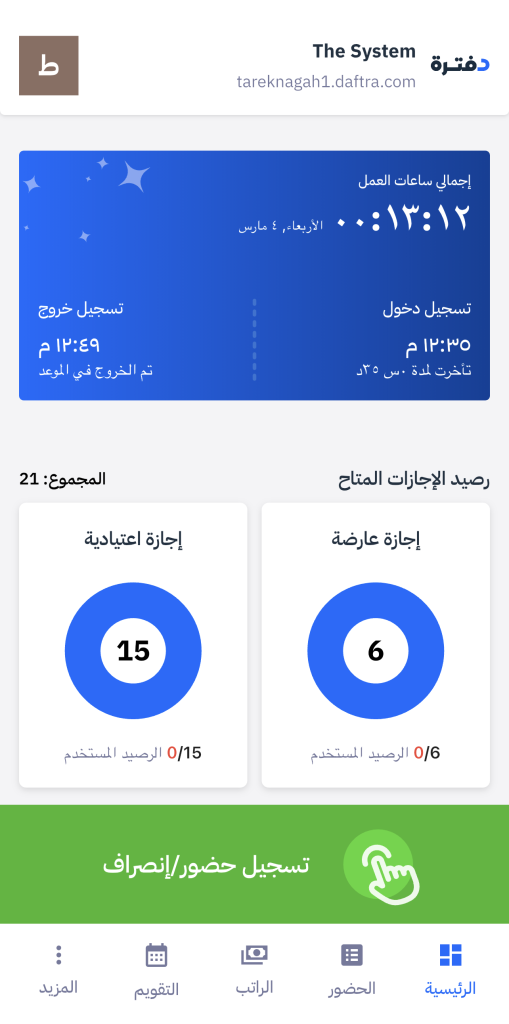
After checking out, the card displays the actual check-out time along with punctuality status:
- “On time” if the check-out occurs within the defined check-out window.
- No additional message if check-out occurs outside the allowed window.
Total Working Hours Card
At the end of the final shift of the day, a blue card appears showing total working hours, calculated as the sum of all completed shifts during that day.
The system confirms the end of the final shift based on: Service end time, or end of the check-out window, or expiration of the grace period.
Multiple Shifts in One Day
If your day includes more than one shift, the system follows this sequence:
- After completing the first shift (A), the card resets to its default empty state in preparation for the second shift.
- 30 minutes before the second shift (B), a reminder appears: “Shift starts at HH:MM”.
- If the shift start time passes without check-in, a delay message is displayed.
- The same logic repeats for each additional shift.
- After the final shift ends, the blue card displays the total hours across all shifts.
Incomplete Record Cases
If the attendance record is incomplete, the card displays the appropriate status:
- Check-in only: Shows check-in time with the label “Check-in only.”
- Check-out only: Shows check-out time with the label “Check-out only.”
- No records: The card remains empty.
Non-Working Days
When the day is not a regular working day, the card displays a specific status instead of attendance details:
Weekly off: “Weekly Off”
Official holiday: “Public Holiday”
Approved leave: “I am on leave today”
No assigned shift: The card remains empty with no delay calculation.