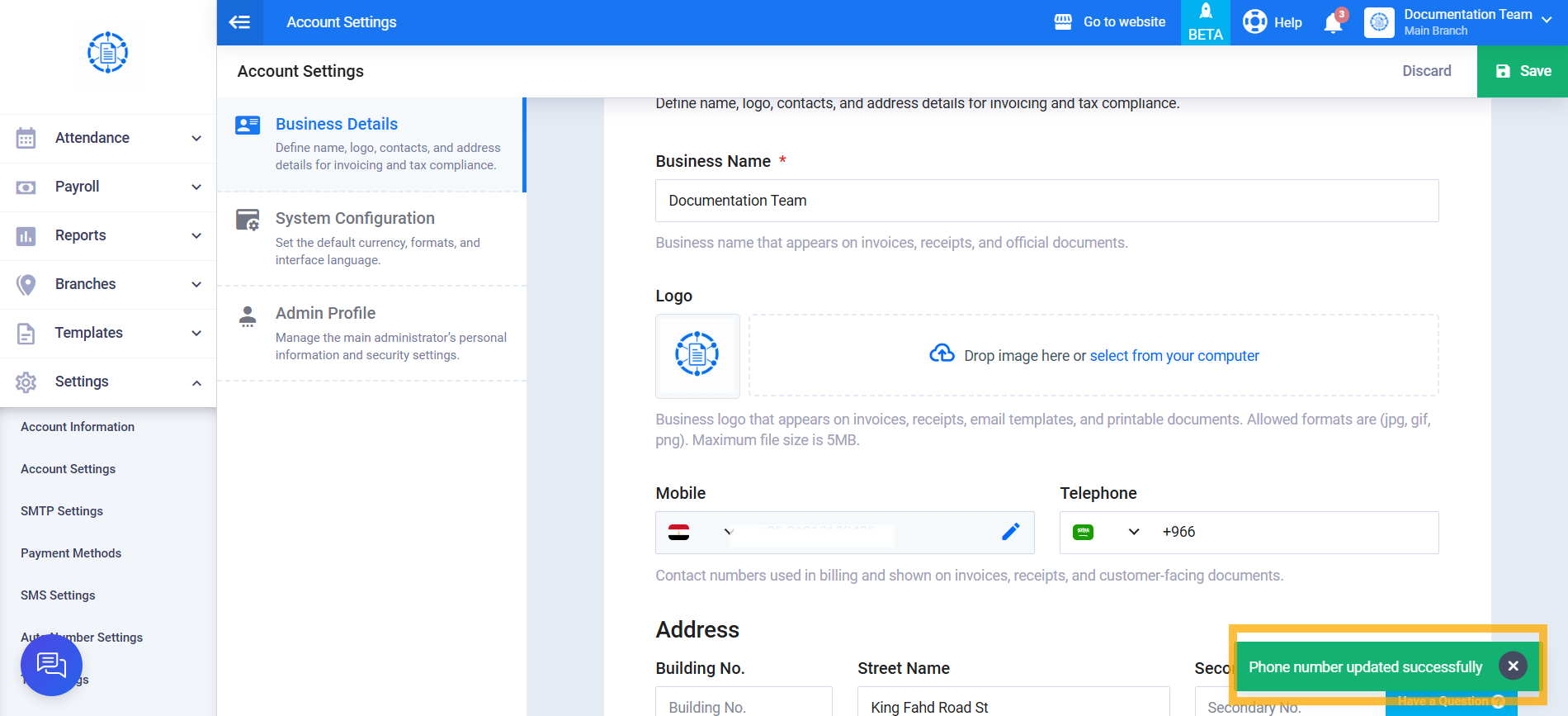
Changing the Mobile Number Registered to the Account
In this guide, we explain the steps required to change the mobile number previously registered to your account, using clear, straightforward, and easy-to-follow instructions.
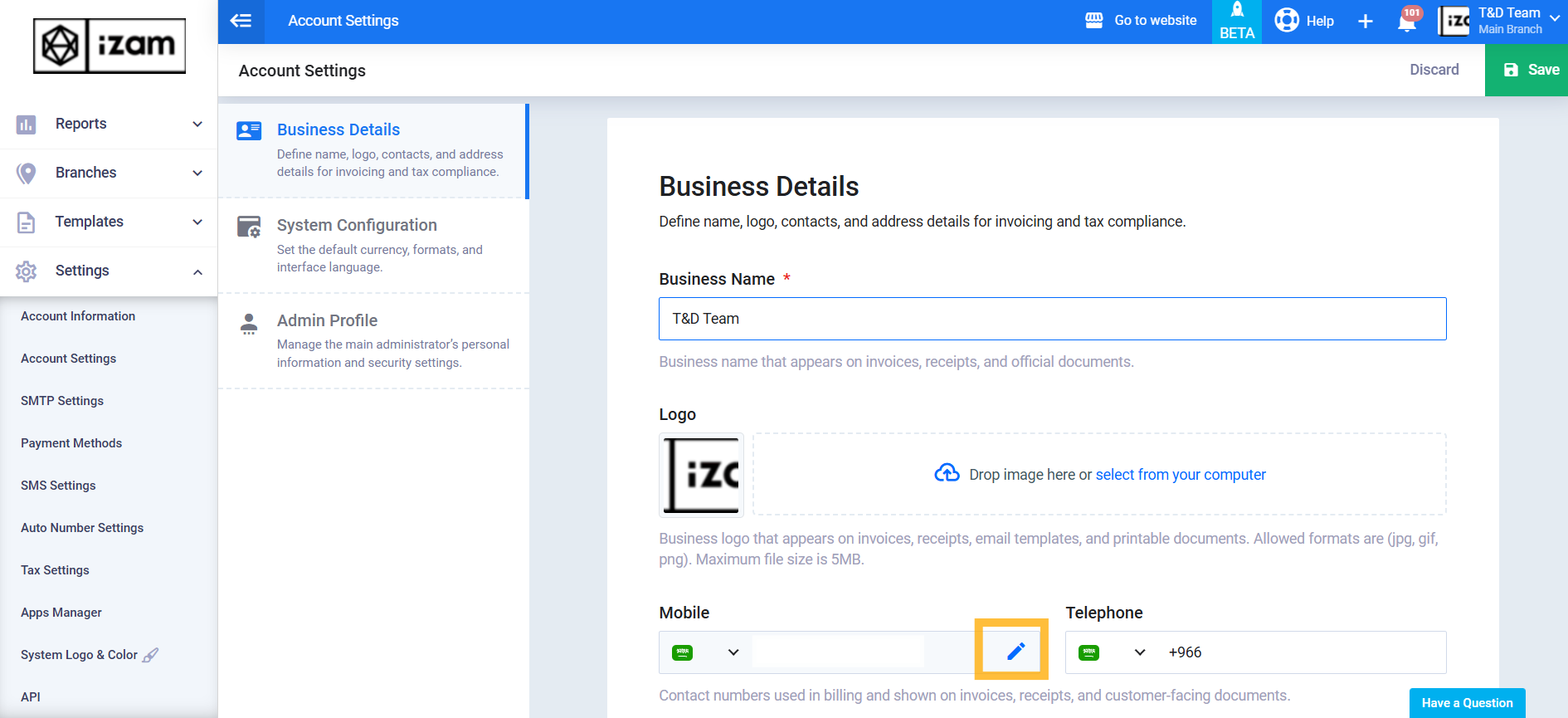
From the main menu, click “Settings”, then select “Account Settings.”
In the “Mobile” field, click “Edit” Icon.
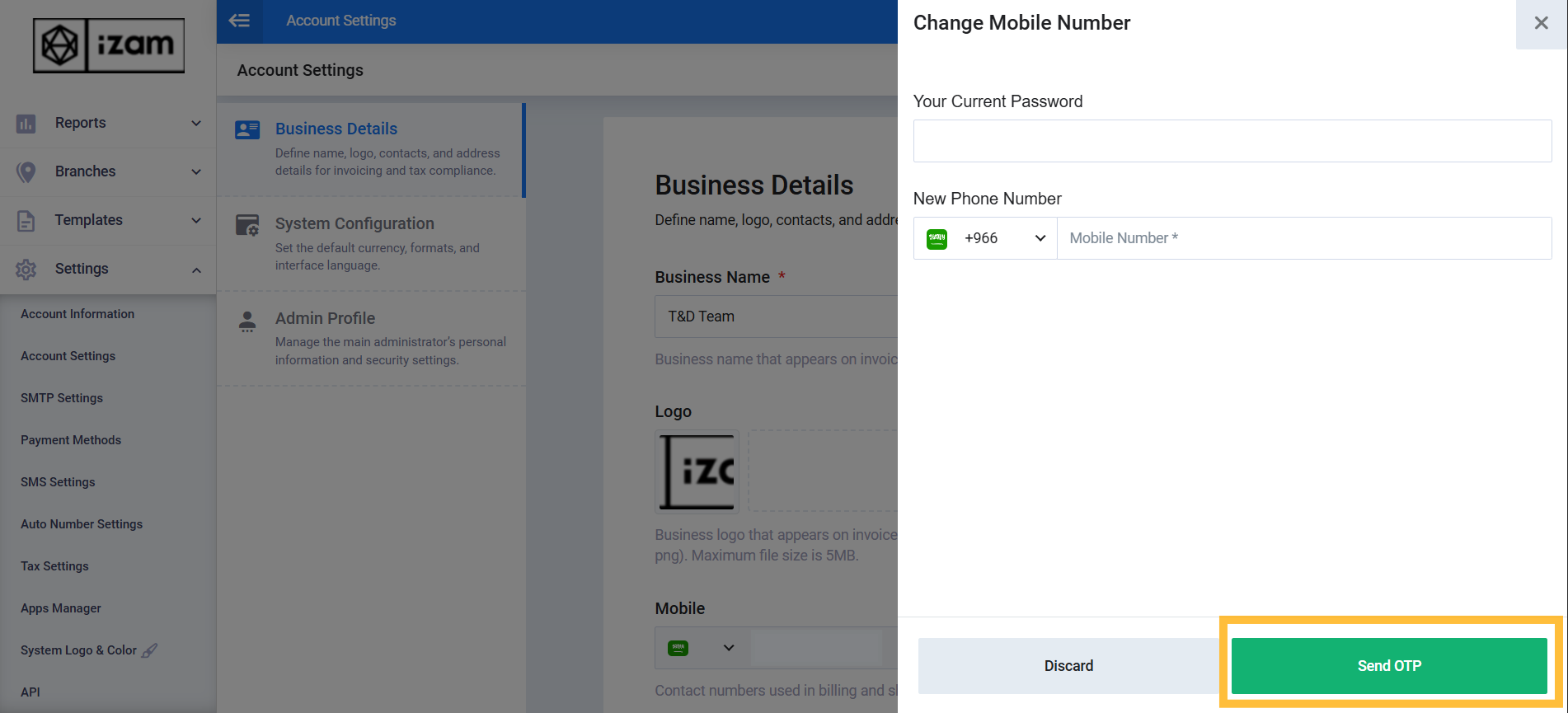 A 6-digit verification code will be sent to the mobile number you entered.
Enter the code, then click “Verify.”
Once completed, the mobile number will be successfully updated, and the new number will be used for all future account notifications and alerts.